Share Your AI Agents

The Shared workspace (Side nav → Shared, or /shared) lets you publish an agent to a public link that anyone can chat with – no Aivah account required. Use it for:
  • Public demos of a new product or content drop
  • Embedded support assistants on your marketing site
  • Lead generation with the built-in lead capture form
  • Voice-first deployments that work without a visual UI

Browse published agents

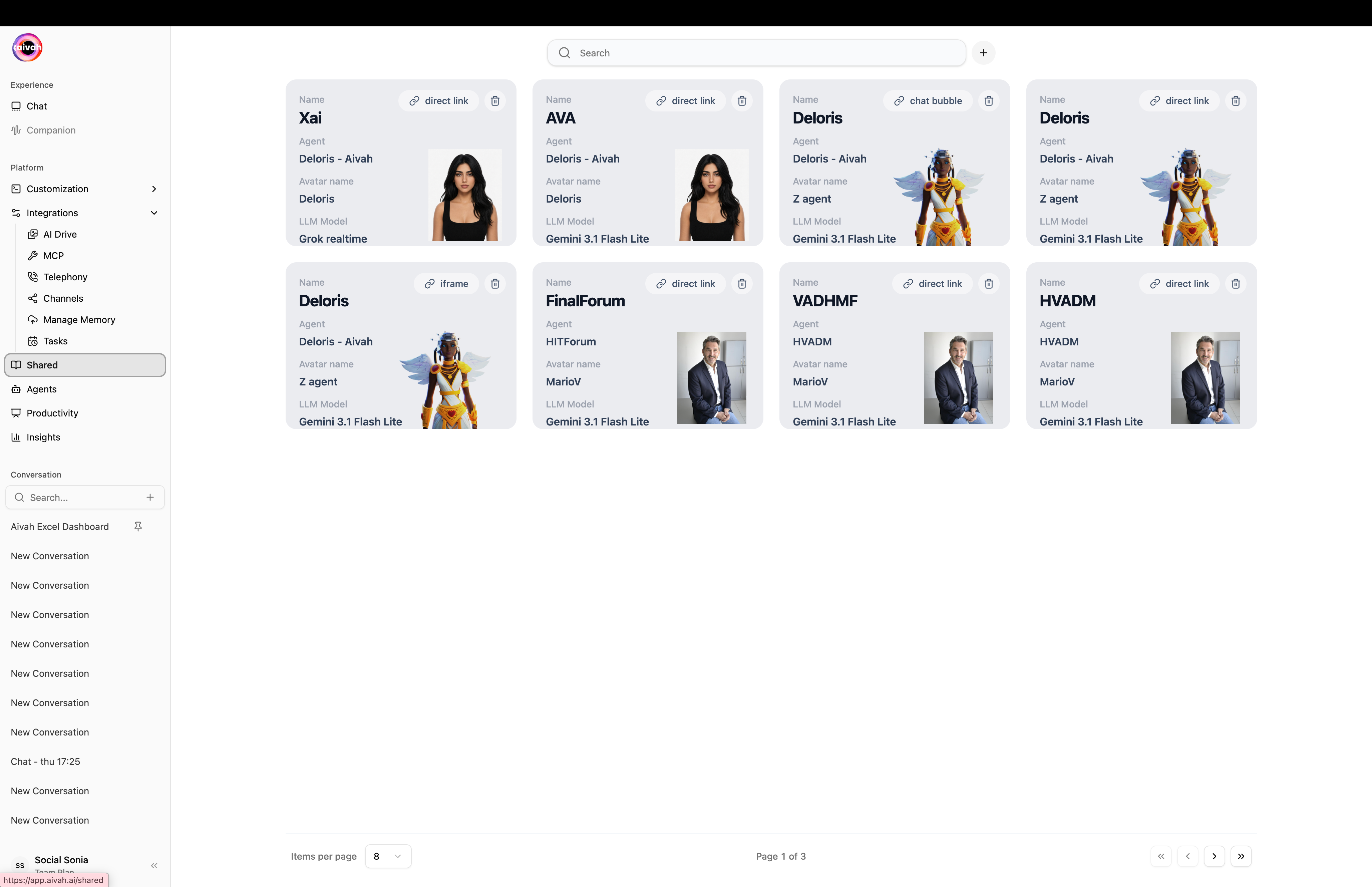
The Shared list mirrors the regular avatar grid:
  • Searchable
  • Paginated
  • Click any card to see details
  • Each card shows the underlying agent, its current public link, and a copy button
Shared agents grid
1

Open the create flow

Click the + icon in the Shared header to open /shared/create. The form has two steps – Persona and Experience.
2

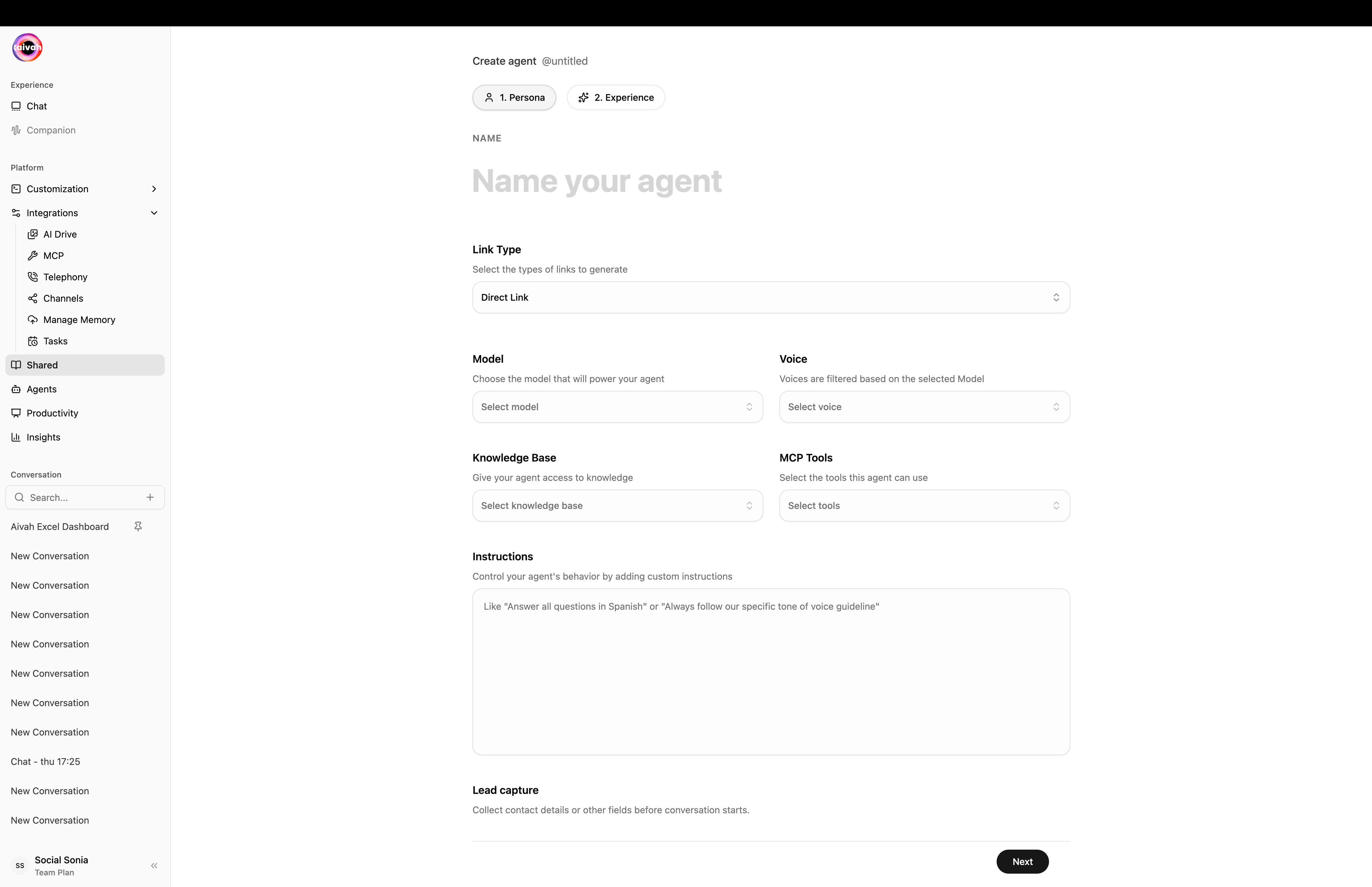
Persona step – pick the agent, model, voice, tools, and instructions

Set the agent name, Link Type (Direct Link / Iframe / Chat Bubble), the Model, the Voice (filtered by Model), a Knowledge Base, optional MCP Tools, and freeform Instructions.
Shared agent create form
3

Configure the lead form (optional)

Add the fields you want to capture (name, email, phone, custom). For each field:
  • Mark as required or optional
  • Re-order fields with drag-and-drop
  • Remove fields that don’t apply
See the Lead Capture Forms guide for the full flow.
4

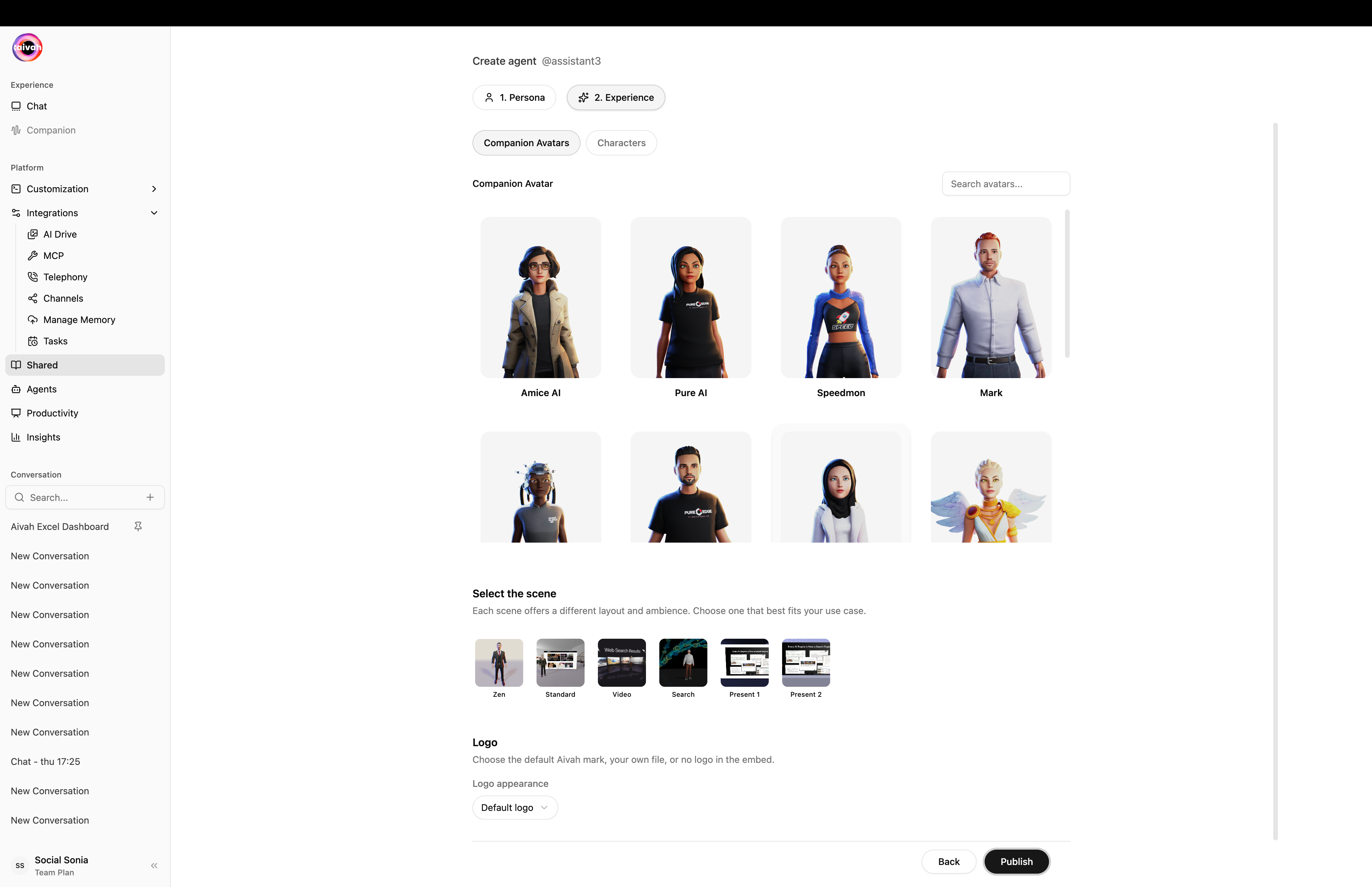
Experience step – pick the avatar / character, scene, and branding

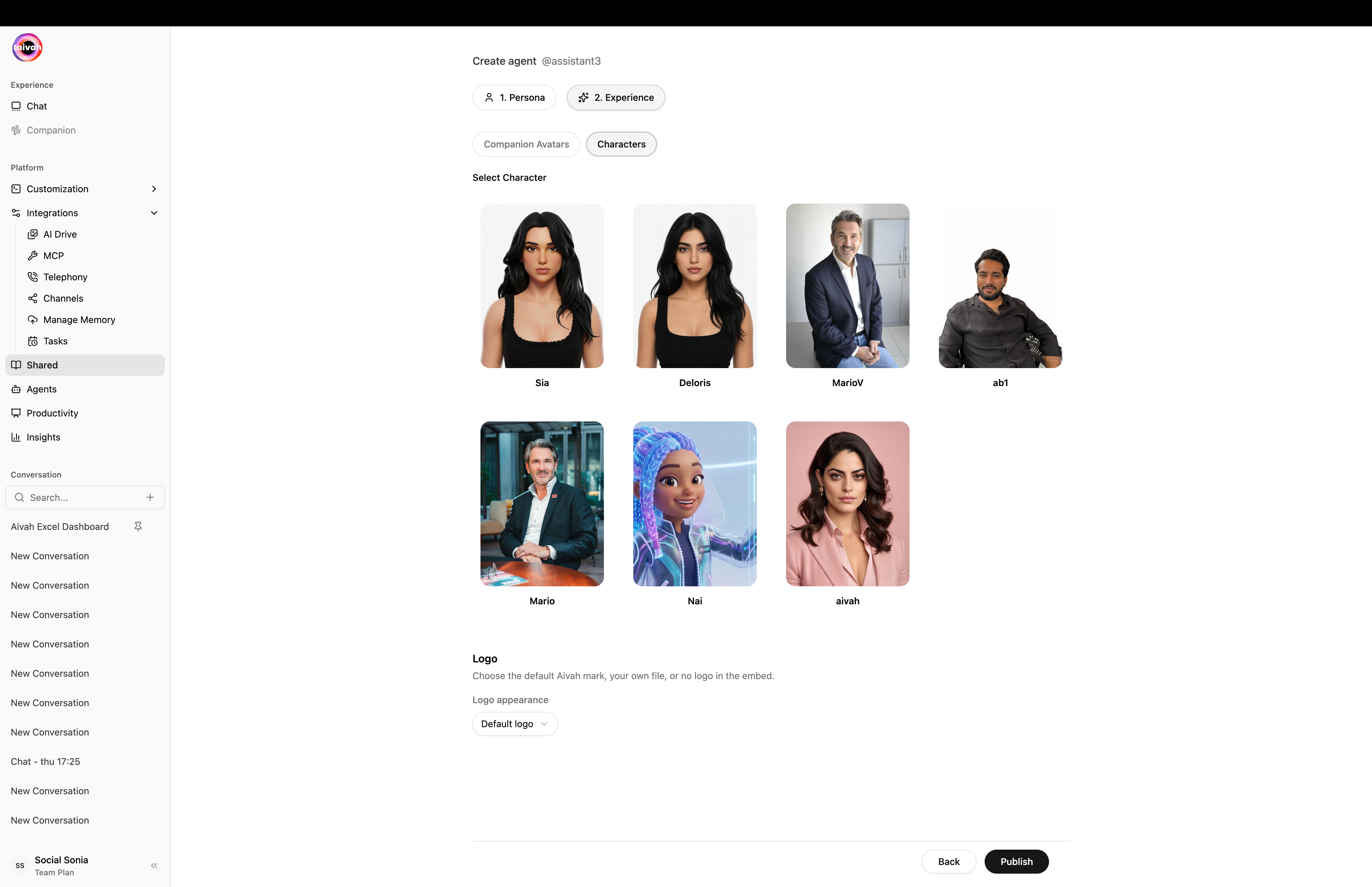
On the Experience tab, choose a Companion Avatar or a Character, pick a scene, and decide what logo to show in the embed (Default Aivah mark, your own upload, or no logo).
Experience companion avatars
Experience characters
5

Save

Click Publish. Aivah generates a public URL plus a copy-ready embed snippet. The agent now appears in the Shared list.

Manage / Unpublish

From the Shared list you can:
  • Copy the public link with one click
  • Edit the lead form at any time
  • Unpublish – the public link becomes inactive immediately
Submitted leads appear under Insights → Leads.

Distribution Methods

Once an agent is published you can distribute it in three primary ways: Share a simple URL that users can click to access your agent immediately. This is the quickest way to get your agent in front of users.

2. iFrame Embed

Embed your agent directly into websites using HTML iframe code. Perfect for integrating agents into existing websites or applications.

3. Chat Bubble

Add a floating chat bubble to any website that users can click to start conversations with your agent. This provides a non-intrusive way to offer AI assistance.
Key Features

  • Agent Customization: Configure agent behavior, appearance, and conversation flow
  • Lead Capture Form: Built-in form with reorderable, required/optional fields
  • Voice Integration: Enable voice-only interactions for hands-free experiences
  • Scene Selection: Choose from multiple visual environments and backgrounds
  • Sharing Analytics: Track usage and engagement metrics from the Insights workspace
  • Multi-modal Support: Support for text, voice, and visual interactions

Getting Started

  1. Configure your agent’s behavior and appearance
  2. Set up the lead capture form if you want to collect contact info
  3. Choose your preferred sharing method
  4. Customize the user experience settings
  5. Publish and share your agent
The Shared system provides a comprehensive platform for deploying AI agents with full control over the user experience and data collection.