
Credits
Every realtime conversation, media generation request, or call consumes credits. Credits are also surfaced live in the top-right of Avatar chat as a small pill (for example2,341 Credits) so you always know what’s left.
You can top up at any time from the user menu in the bottom of the side navigation – choose Add credit to open the Buy Credits dialog.
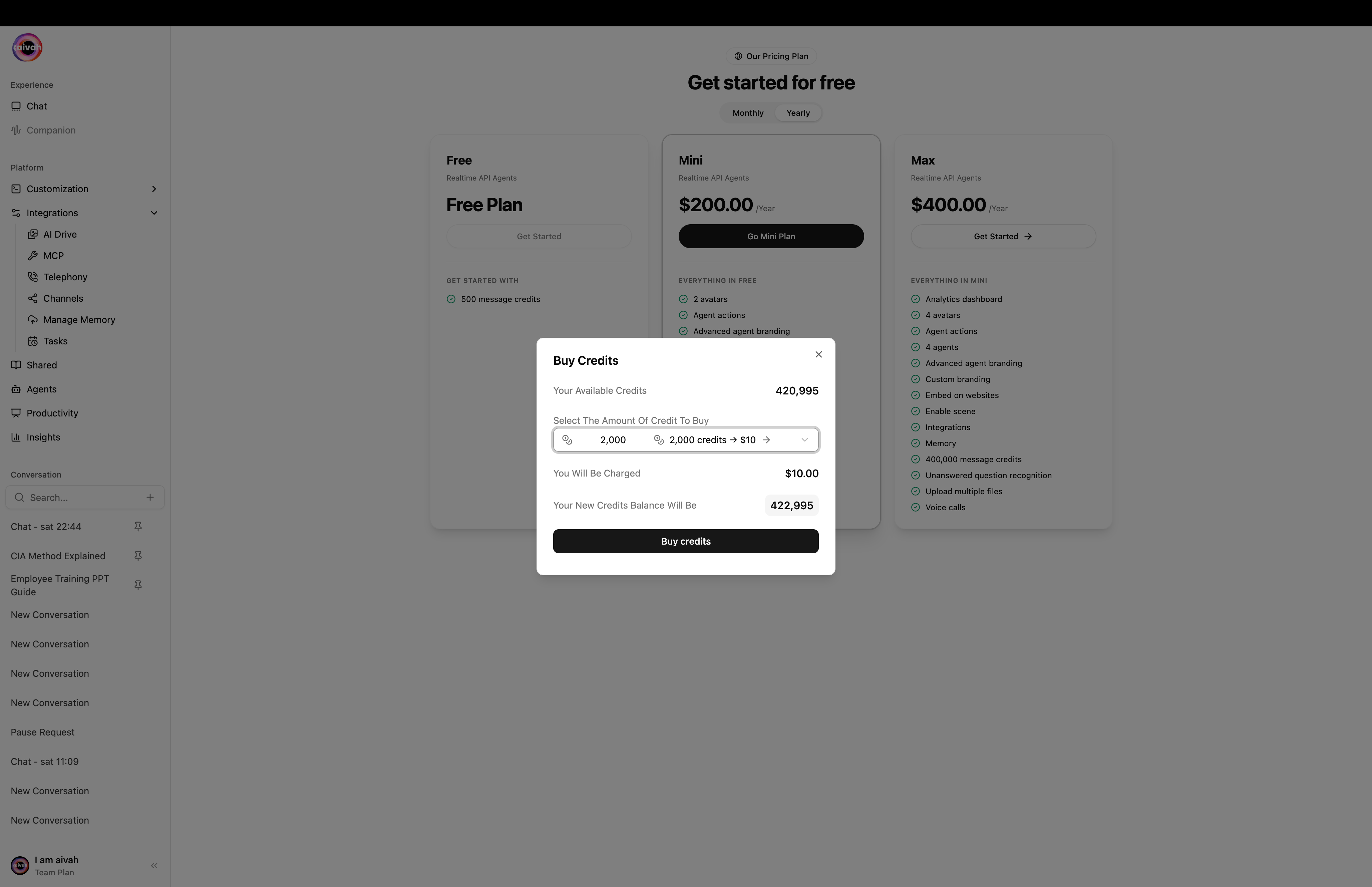
Buy Credits dialog – pick a package, review charge and projected balance, click Buy credits
Current Balance
- The user menu and the Avatar chat pill both display your Available Credits.
- The Buy Credits dialog also shows your current balance and the projected balance after a purchase, so you can verify the maths before confirming.
- Check the balance weekly to avoid unexpected depletion during high-traffic periods.
One-off Credit Packages
The Buy Credits dialog (user menu → Add credit) lets you pick from these one-off packages:
Confirm to start a Stripe checkout. The packages stack on top of any plan-included credits.
Buying Credits
1
Open the user menu
Click your avatar / name at the bottom of the side navigation and choose Add credit.
2
Pick a package
Select one of the one-off packages above. The dialog shows your current balance and the projected new balance.
3
Review pricing
Confirm the projected total credits and payable amount before proceeding. Capture a screenshot if you need an audit trail.
4
Click Buy Credits
Press Buy credits to start Stripe checkout. You’ll be prompted for payment details if none are stored.
5
Return to Aivah
After Stripe completes you’re redirected to
/payment with a success or cancel state. From there you can jump back to Home or View plans.What if credits run out mid-conversation?
You’ll see a clear toast. Open the user menu → Add credit and buy a package. Your balance is applied immediately and the agent resumes when you send the next message.Best Practices
- Set Threshold Alerts: Establish an internal process to refill credits when the balance drops below a certain level (for example 25% of monthly usage).
- Tie to Campaigns: Before launching marketing pushes, forecast expected traffic and pre-purchase credits accordingly.
- Monitor Impact: After large purchases, review the Insights → Agent Analytics tab to confirm credits are being used as planned.