Welcome to AIVAH
AIVAH is the complete AI platform for creating, customizing, and deploying intelligent avatar agents. Build sophisticated AI companions that can engage through voice, text, and visual interactions across multiple channels and platforms.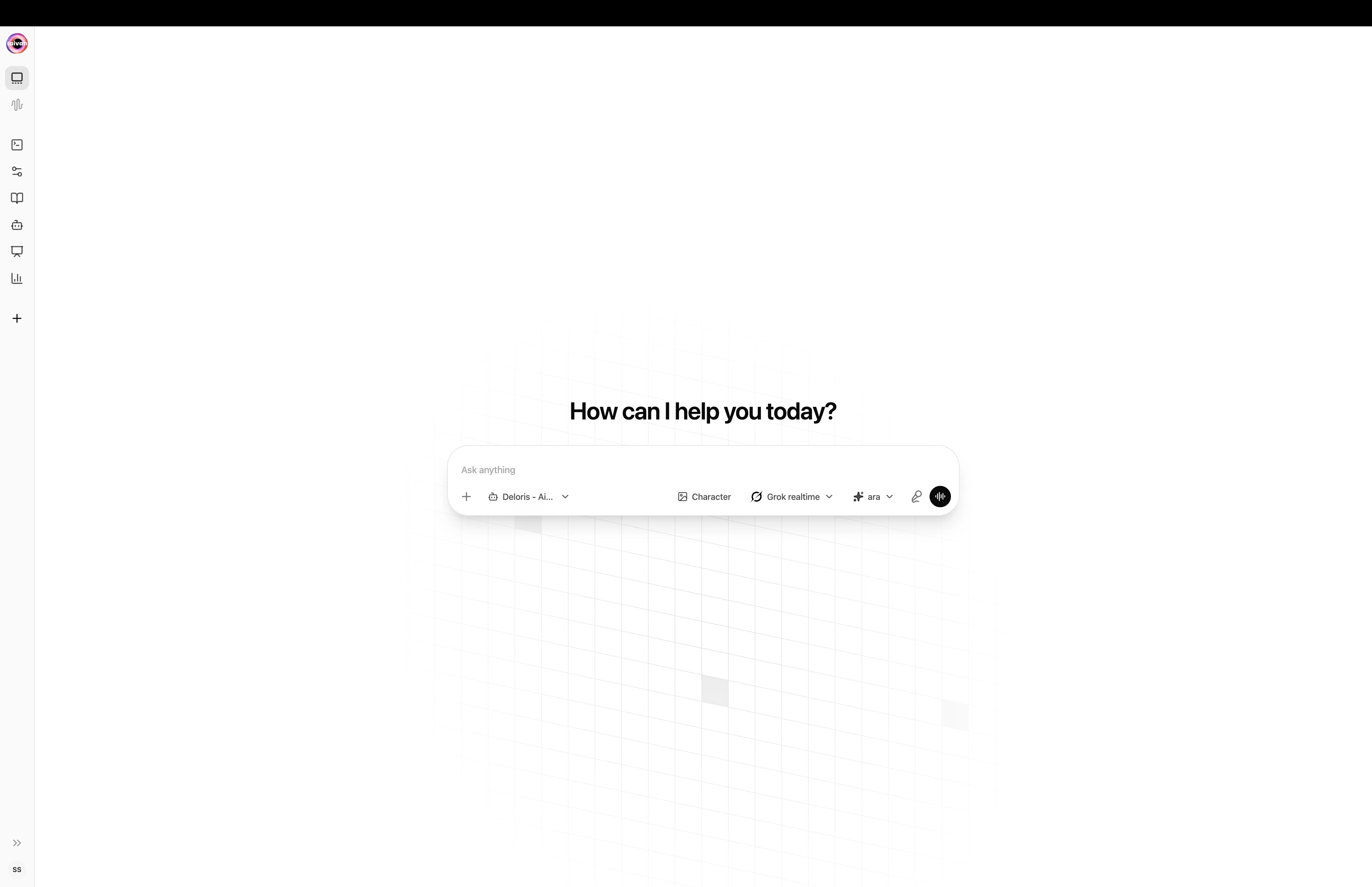
The Aivah Playground – pick an agent, model, voice, and character, then start chatting
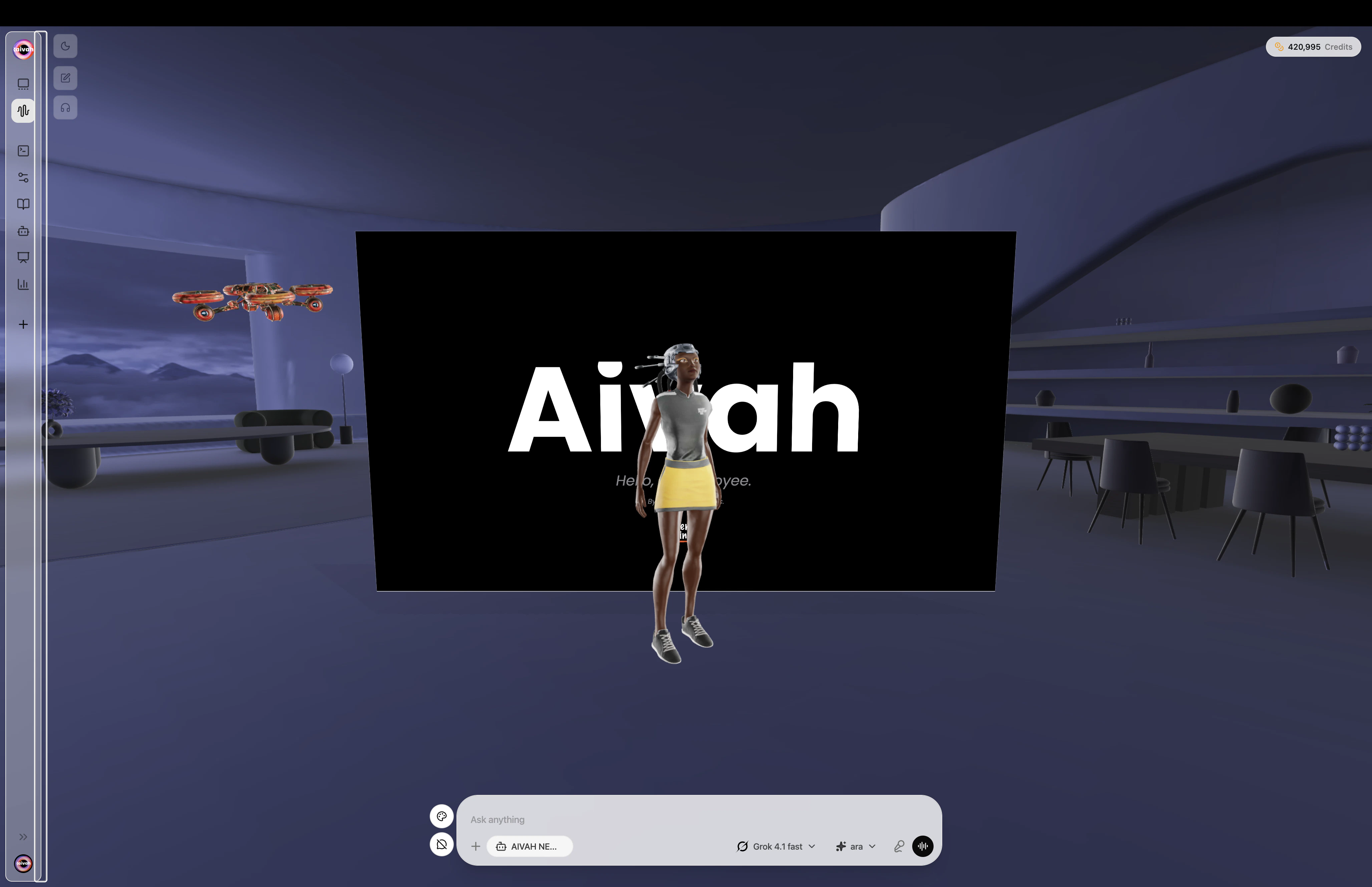
Avatar chat with the full 3D scene, productivity toolbar, and live transcription
What You’ll Build
With AIVAH, you can create AI agents that:- Engage Visually: 3D avatar agents and 2D image-based Characters in immersive scenes
- Communicate Naturally: Text chat, real-time voice, and a fully animated avatar chat
- Remember Context: Persistent long-term memory across every conversation and channel
- Integrate Everywhere: Connect to popular tools via MCP, Slack, WhatsApp, and telephony
- Generate Productivity Assets: Turn knowledge into slide decks, podcasts, and mind maps
- Handle Calls: Bring your own Twilio number for inbound and outbound voice
- Share Easily: Publish a public link with a built-in lead capture form
Platform Capabilities
Avatar, Characters, and Voices
Give your agent a face and a voice:- 3D Avatars: Realistic, animated companions powered by Ready Player Me models
- Characters: Lightweight image-based personas (upload a photo, crop, and chat)
- Voices: Aivah’s built-in voice library plus your own voice clones from a short reference recording
Agents
Build intelligent agents tailored to your use case:- Knowledge-base Agents combine documents, URLs, text, audio, video, and images
- Presenter Agents turn a single PDF or video into a guided, slide-aligned experience with built-in Quiz support
- Per-source ingestion status with retry on a single failing item
- Live training status that polls automatically while content is being indexed
Playground (Hub)
The chat workspace ships in three related modes:- New chat — pick agent, model, voice, and avatar, then send your first message
- Text chat — classic message thread with file attach and image generation
- Avatar chat — live 3D avatar that lip-syncs, reacts, and speaks in real time
Productivity – Slides, Podcasts, Mind maps
Turn an agent’s knowledge into ready-to-use assets:- Slide decks with configurable style (Academic, Doraemon, Custom) and length (Short 5–8, Medium 8–12, Long 12–15)
- Podcasts with selectable host and expert voices, Short / Default / Longer pacing, and an optional Focus prompt
- Mind maps that open as an interactive overlay during avatar chat
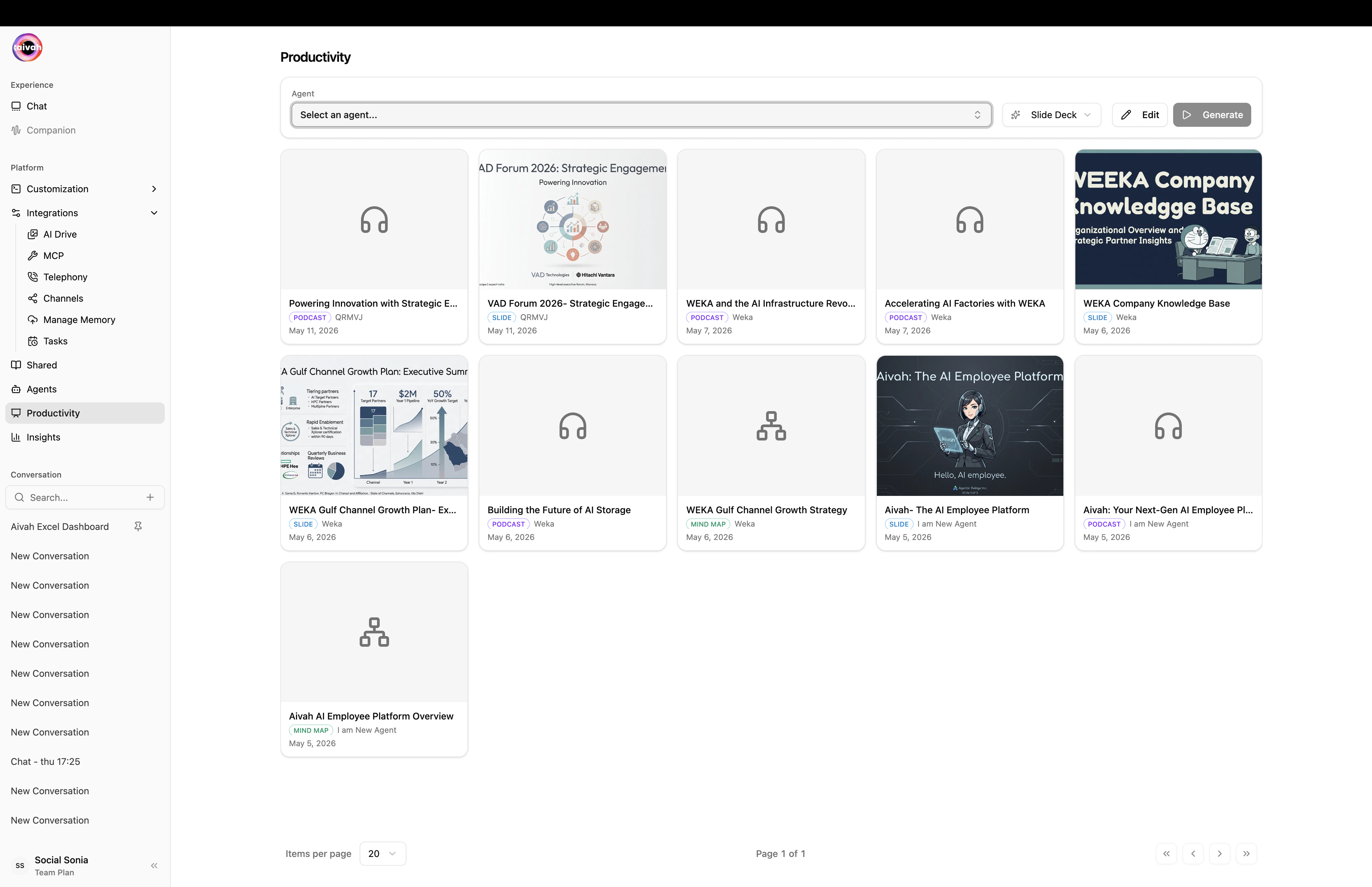
Productivity workspace – one toolbar generates slides, podcasts, or mind maps from any agent
Realtime Media Studio
Generate rich media in seconds directly from the chat composer:- Create images and transform them into videos with a single prompt
- Backed by Google Nano Banana, Veo 3.1, and Sora 2 for high-fidelity visuals
- Every asset auto-saves to AI Drive for download, sharing, or reuse
Share & Deploy
Multiple deployment options for your agents:- Direct Links: Instant access URLs
- iFrame Embeds: Website integration
- Chat Bubbles: Non-intrusive website assistance
- Lead Capture Form: Built-in form with reorderable, required/optional fields
- Voice-Only Mode: Audio-first experiences
Integrations
Connect with your existing workflow:- MCP Tools (Composio): One-click OAuth connectors for Gmail, Calendar, Notion, Linear, Slack, GitHub and many more
- Telephony: Bring your own Twilio number (with optional SIP trunk) for inbound and outbound calls
- Channels: Native Slack (App Manifest + bot token + signing secret) and WhatsApp (QR pairing) connectors
- Manage Memory: View, edit, and export everything your agent has learned
- Tasks: Cron jobs and heartbeat monitors created by you or your agent
- AI Drive: Central gallery for all generated images, videos, slides, documents, and web results
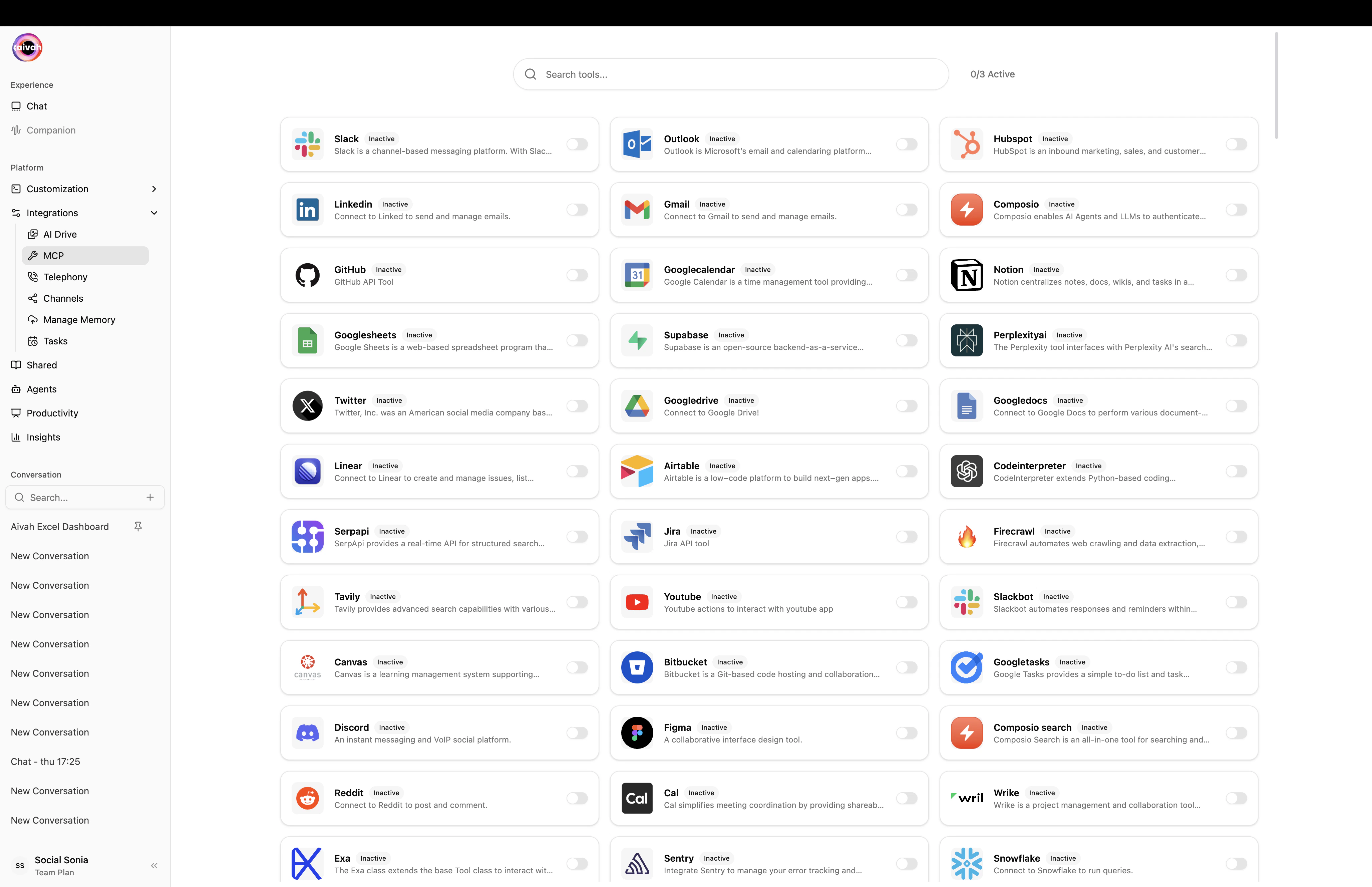
MCP Tools – one-click OAuth for the most popular SaaS apps, with a live X/N Active counter
Analytics & Insights
Comprehensive performance tracking:- Unique users, credits used, and time-series charts
- Full Chat Log search with timestamps
- Leads captured from your shared agents
- Call Logs with duration, status, and recordings (when available)
- Date-range and per-agent filters across every tab
Your 5-Minute Journey
Here’s what you’ll accomplish in the next few minutes:- Create Your First Agent → Build a knowledge-base agent or a presenter
- Pick a Persona → Choose a 3D avatar, an image-based character, and a voice
- Generate Media → Produce realtime images and videos straight from the chat composer
- Test in the Playground → Talk to your agent in text or avatar chat
- Publish a Shared Link → Add a lead form and share with the world
- Connect Channels → Plug your agent into Slack, WhatsApp, a phone number, or MCP tools
Platform Architecture
AIVAH’s modular platform consists of:Core Workspaces
- Customization: Avatars, Characters, and Voices (including voice cloning)
- Agents: Knowledge-base and Presenter agent creation, training, and content management
- Playground / Hub: New chat, text chat, and avatar chat experiences
- Productivity: Slide decks, podcasts, and mind maps generated from agent knowledge
- Shared: Public links with lead capture
- Integrations: AI Drive, MCP, Telephony, Channels (Slack/WhatsApp), Manage Memory, Tasks
- Insights: Analytics, chat logs, leads, and call logs
- Subscription: Plans, credits, and billing
Advanced Features
- Long-term Memory: Persistent key/value memories per customer, fully editable and exportable to CSV
- Voice Cloning: Upload a short, clean reference recording to mint a personal voice
- Scene Environments: Standard, Zen, Web Results, Video, and Presentation backdrops
- Quiz Overlay: Multiple-choice questions baked into presenter agents
- Document Creating Banner: In-chat status while long assets (decks, podcasts, mind maps) generate
- Enterprise Security: Role-based access and compliance features
🎯 Use Cases
AIVAH powers diverse applications: Business & Sales- Lead qualification and customer support
- Product demonstrations and presentations
- Sales enablement and training
- Interactive learning experiences
- Skill assessment and coaching
- Knowledge base assistance
- Patient engagement and support
- Health information assistance
- Appointment scheduling and reminders
- Interactive storytelling
- Brand ambassadors and mascots
- Event hosting and engagement
🔧 Technical Foundation
Built on modern, scalable architecture:- Cloud-Native: Globally distributed infrastructure
- AI-Powered: Latest language models and voice technology
- Security-First: Enterprise-grade data protection
- API-Driven: Comprehensive developer tools and integrations
- Real-Time: Low-latency voice and text processing
- Multi-Modal: Support for text, voice, and visual interactions
What’s Next?
Ready to build your first AI agent? Let’s start with the fundamentals:- Setup Your First Agent - Create and configure your first agent
- Best Practices - Learn optimization techniques and proven strategies