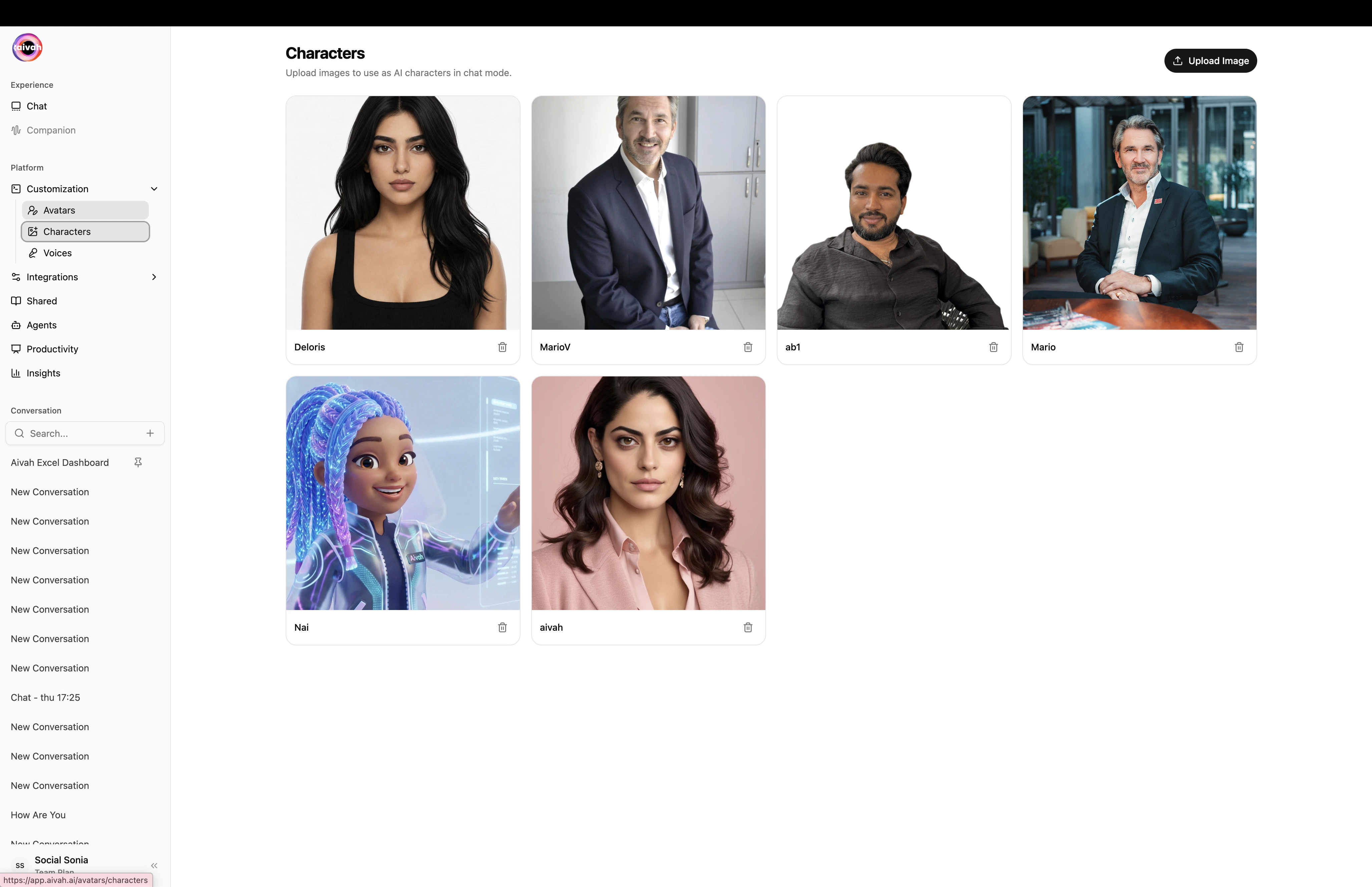
Characters are image-based AI personas – a single picture used as a 2D avatar in chat. They are the lightweight counterpart to the full 3D Avatars, perfect when you want a recognizable face without the rendering cost of a real-time 3D rig.Open from Side nav → Customization → Characters (or /avatars/characters).
Characters page with the existing roster and the Upload Image button (top-right)
Press Upload Image in the top-right of the Characters page. A file picker opens.
2
Choose a square-friendly photo
Pick a clear, well-lit image. Any common format works (JPG, PNG, WebP). Headshots or shoulder-up portraits give the best result because the chat surface displays a near-square crop.
3
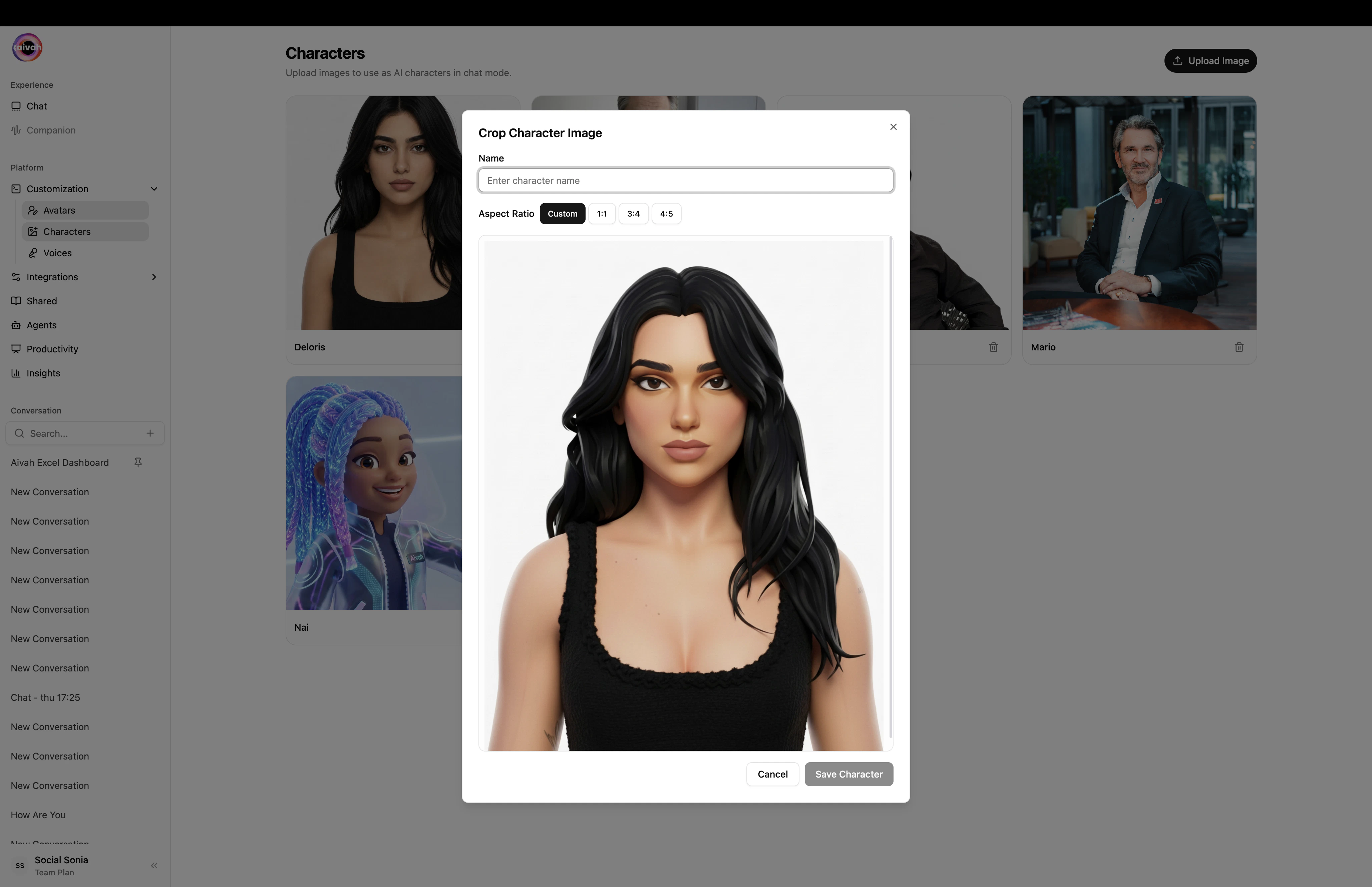
Crop the face
The Crop modal opens immediately after the upload. Pick an aspect ratio (1:1, 3:4, 4:5 or Custom), drag the handles to frame the head and face, then confirm.
Crop Character Image – set the name and aspect ratio at the top of the modal
4
Name your character
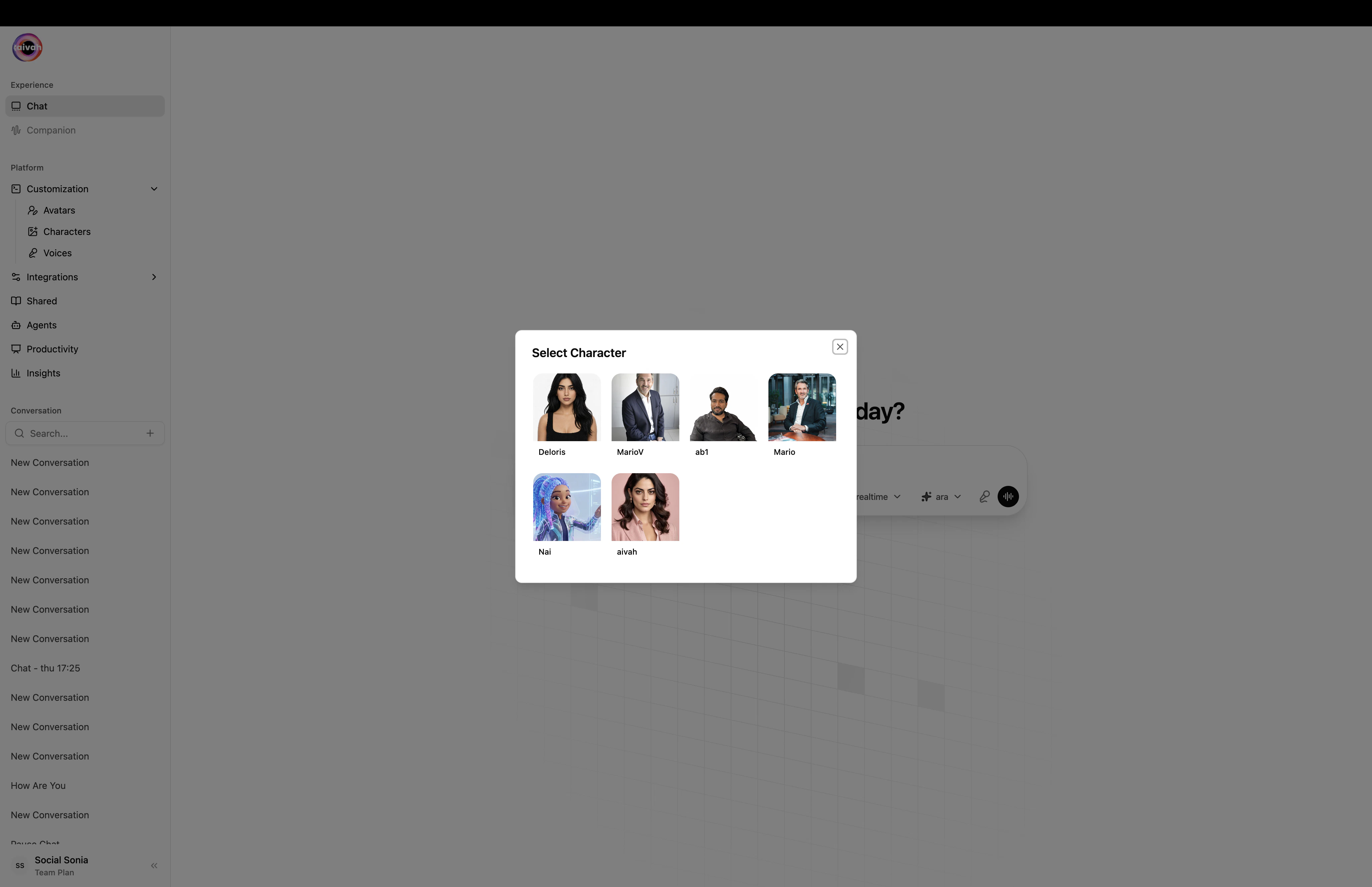
Give the character a short, recognizable name. This is what shows up in the agent / character picker inside the chat composer.
5
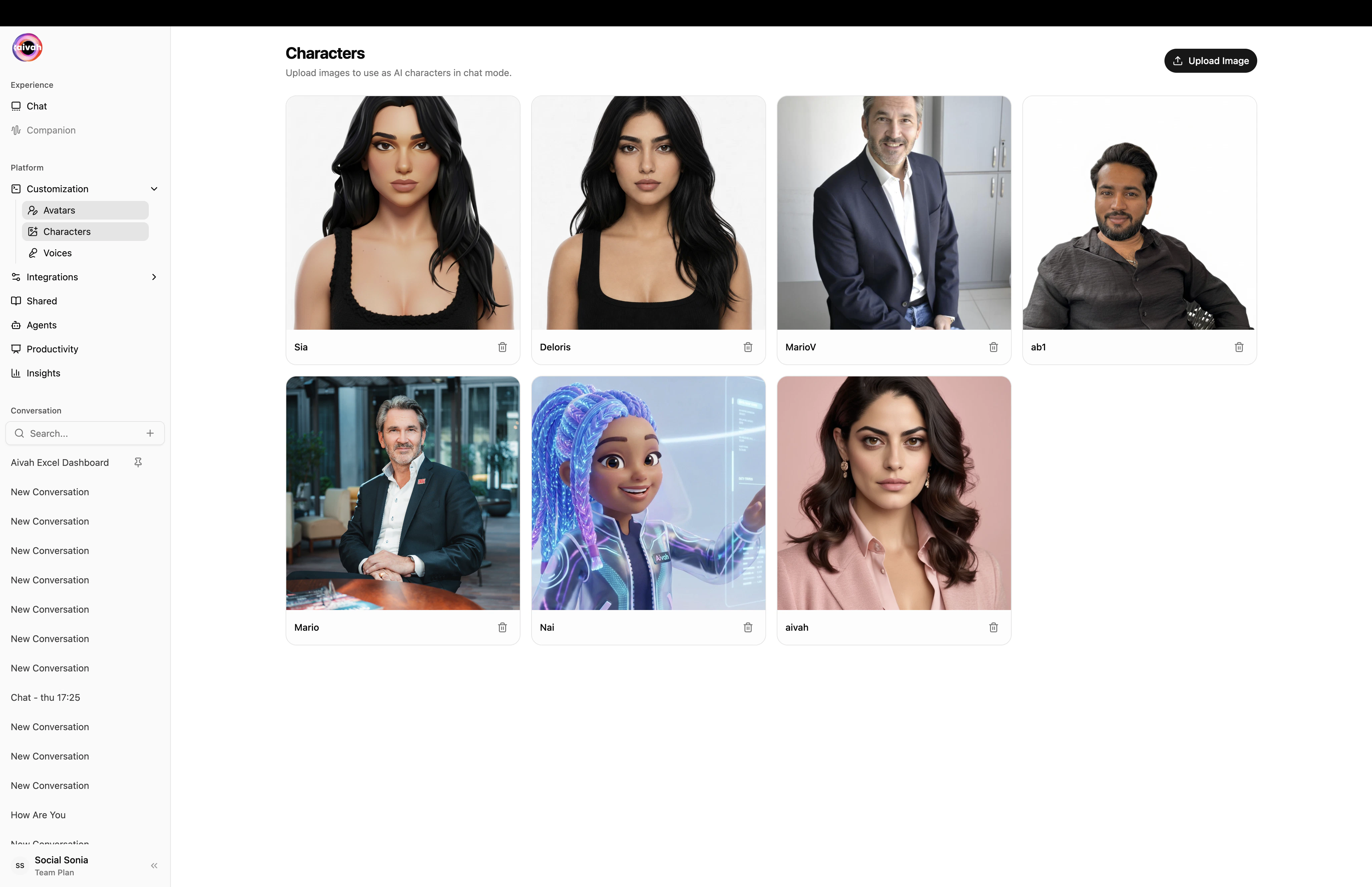
Save
The new character appears in the grid and becomes selectable everywhere a character can be picked – including the New chat composer and the Avatar chat Preferences modal.
The grid after a new character (Sia) was uploaded
The Character picker that opens from the composer pill
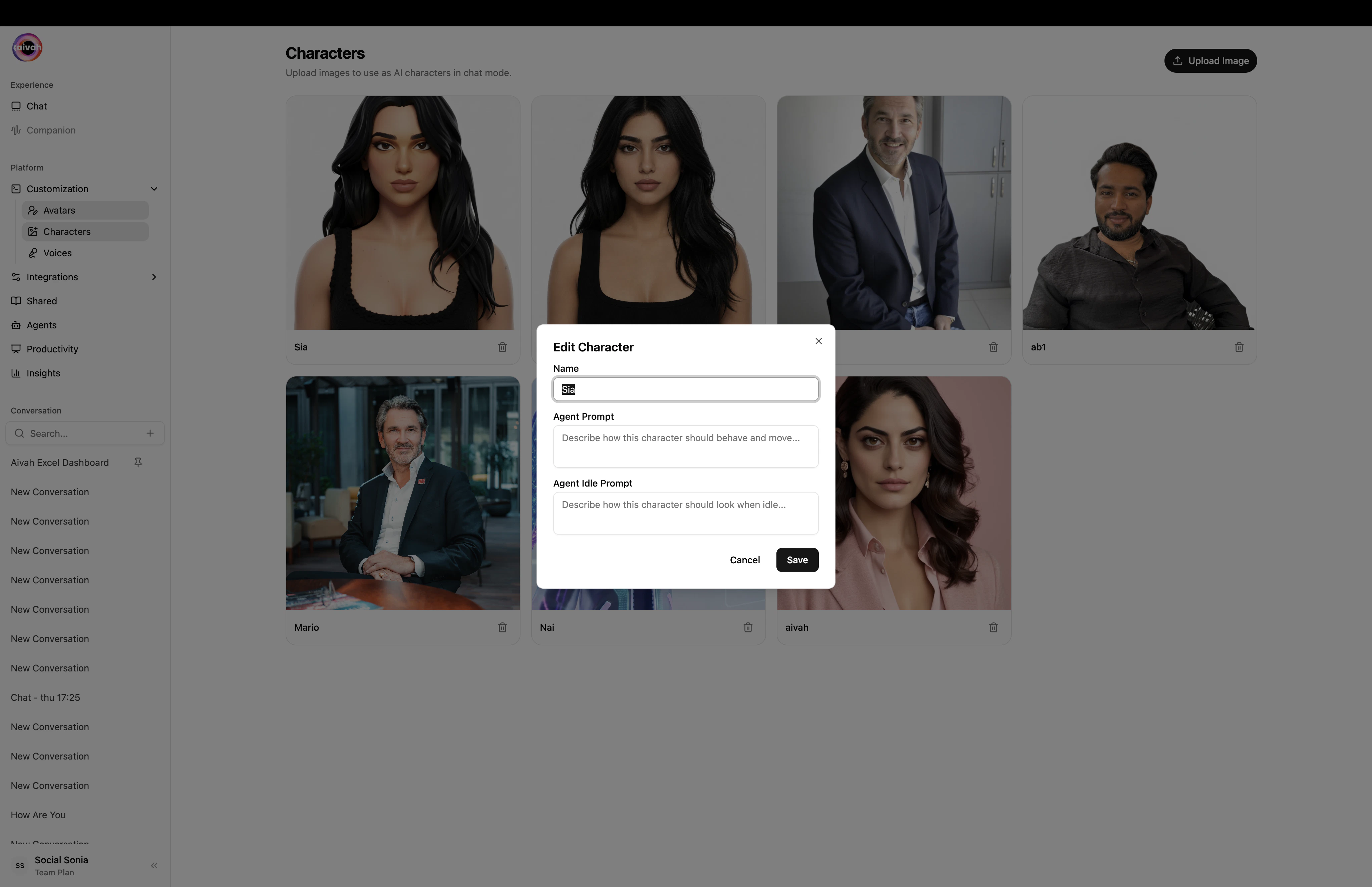
Edit (pencil icon) – rename the character, update the Agent Prompt (how the character should behave), update the Agent Idle Prompt (how the character should look when idle), or re-crop the original image.
Delete (trash icon) – permanently removes the character.
Edit Character modal with Name, Agent Prompt, and Agent Idle Prompt
Characters that are referenced by a published Shared agent cannot be deleted while the share is live. The API returns an explanation toast. Unpublish the shared agent first, then retry the delete.
You want a brand-true headshot, illustrated mascot, or stylized portrait.
You want a fully animated companion that lip-syncs and reacts in real time.
You’re embedding the agent in a small surface (chat bubble, sidebar widget).
You’re delivering an immersive Avatar chat experience.
You need to launch in minutes without rigging or modeling.
You’re presenting, hosting events, or want strong scene presence.
You can switch the active persona at any time from the composer pills in the Playground – swapping a character or avatar does not interrupt the conversation.