Hub Options
Access comprehensive control over your avatar interactions through the options menu. Configure agents, select voices, choose AI models, and manage conversation history from a single interface.Accessing Options
Options Menu
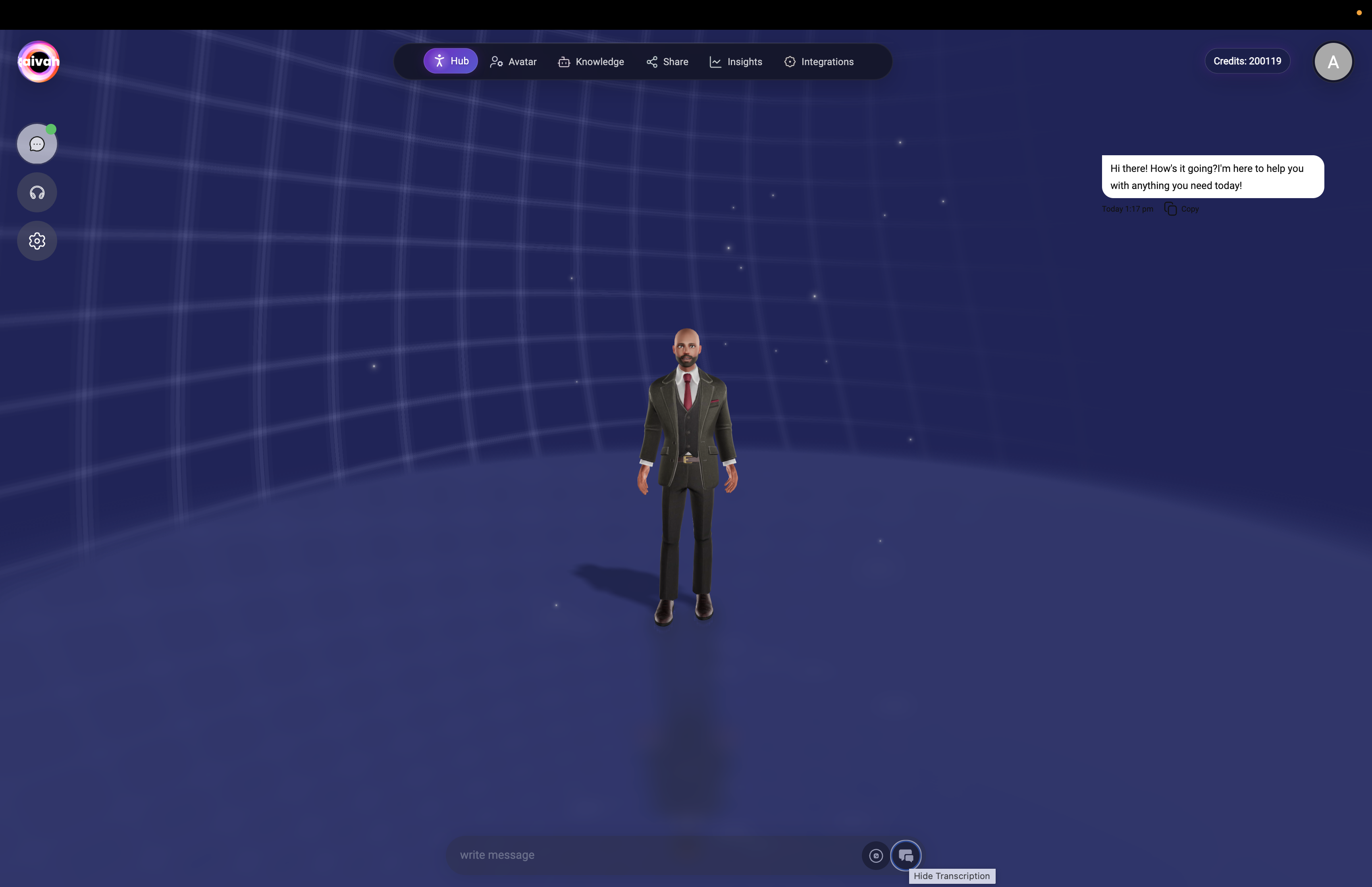
Click the gear icon in the top-left corner of the Hub (next to Chat and Talk buttons) to open the options panel. This menu is available in both chat and voice modes.Options Panel Components
The options menu provides four main control sections:- Agent Selection
- Voice Settings
- LLM Model Selection
- Conversation History
 Options panel showing agent dropdown, voice selection, and conversation history
Options Panel Interface Variations
Complete Options Menu: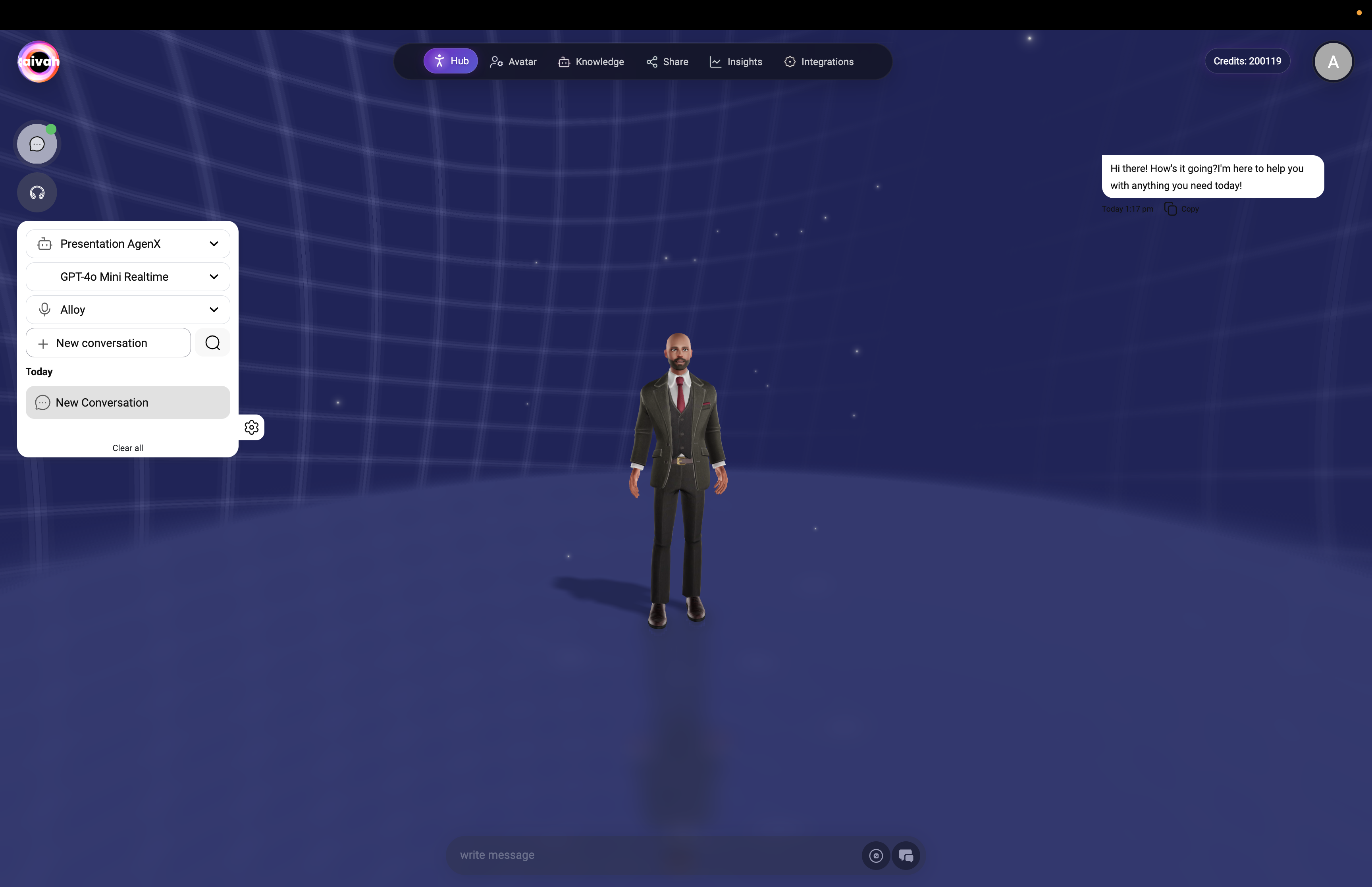
Video Scene Upload Options
When using the Video Wall scene, access video upload functionality through the options controls: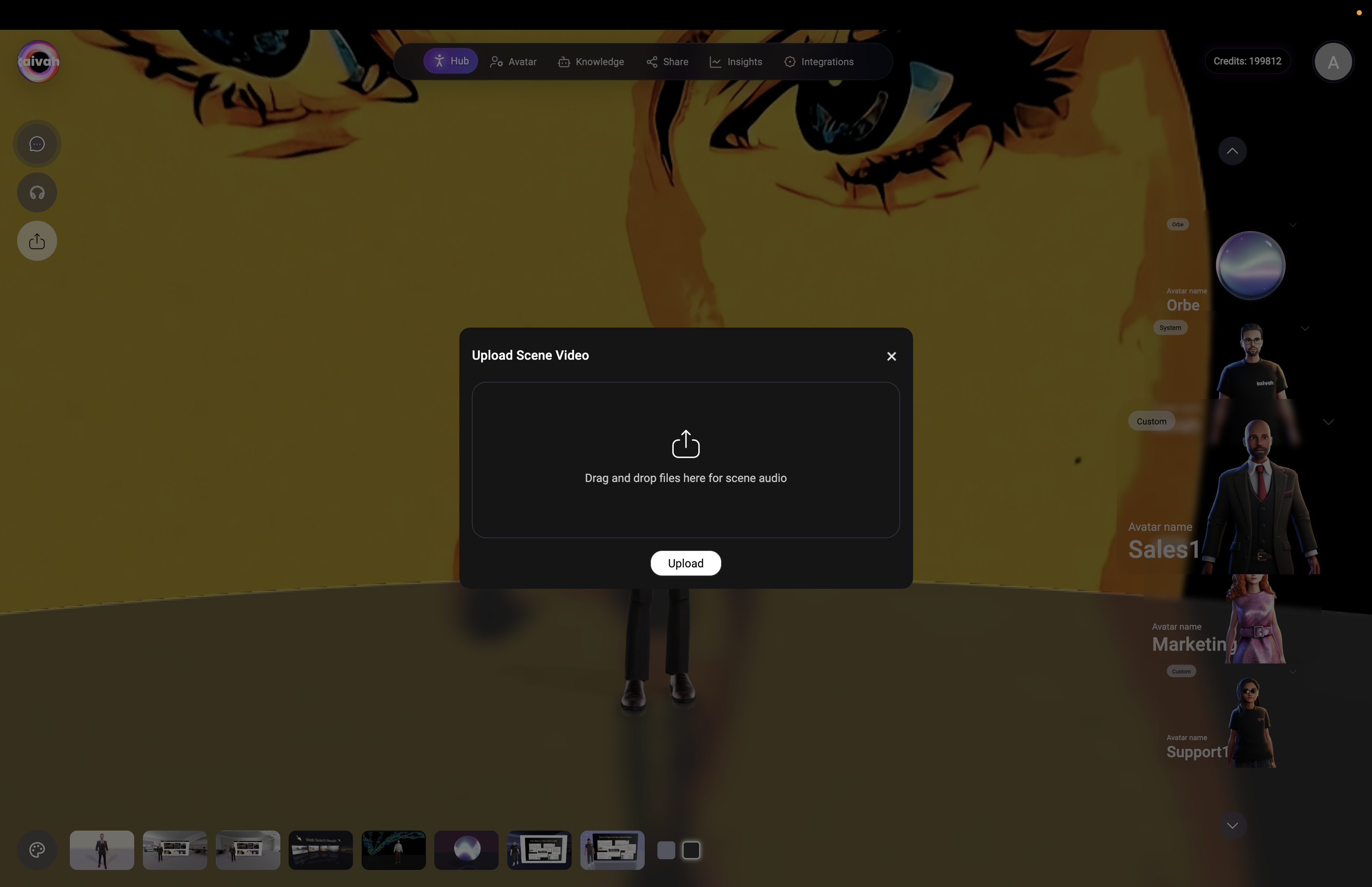
Video Upload Features
Upload Specifications:- File Format: MP4 videos only
- Size Limit: Maximum 50MB per video
- Upload Method: Drag and drop interface or file browser selection
- Scene Integration: Videos play as background in Video Wall scene
- Access Video Wall Scene: Select Video Wall scene from scene menu
- Open Upload Dialog: Click upload button near Chat/Talk controls
- Select Video File: Drag MP4 file or browse to select
- Upload Confirmation: Wait for upload completion confirmation
- Automatic Playback: Video begins playing as scene background
Agent Selection
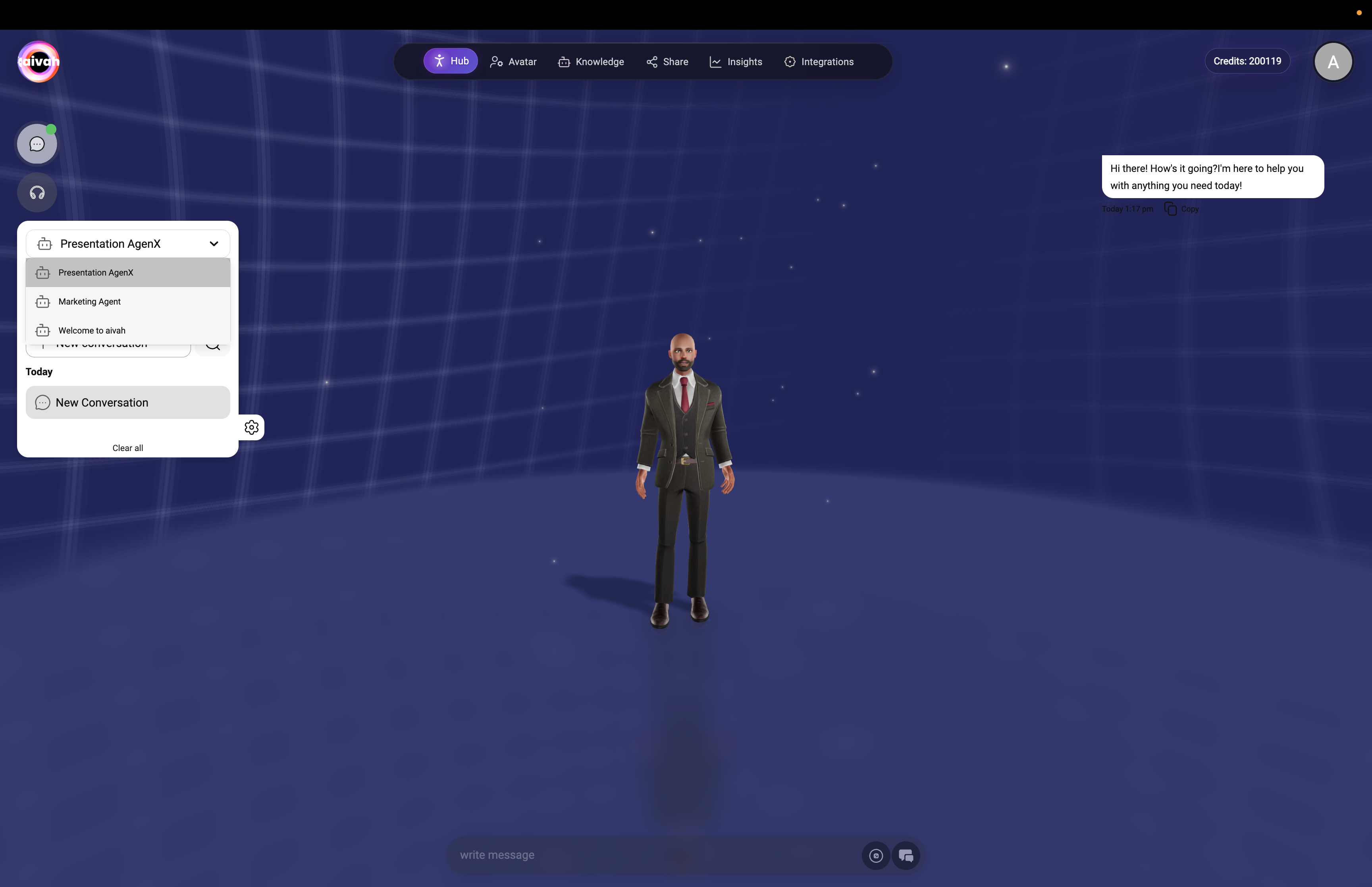
Agent Dropdown
Available Agents:- All Agents Available: Worker Agents and Presenter Agents appear in the same dropdown.
- Current Selection: The active agent is highlighted so you know which experience is live.
- Agent Types: Worker Agents cover full knowledge, realtime, and integrations; presenter agents focus on a single deck.
- Real-Time Switching: Change agents instantly during conversations without refreshing the session.
Agent Switching Benefits
Specialized Experiences:- Different Expertise: Worker Agents can focus on support, sales, or internal knowledge while presenter agents guide demos.
- Contextual Switching: Match the agent to the current topic or audience on the fly.
- Seamless Transition: Maintain conversation context even when swapping agents mid-session.
- Instant Access: Switch as often as needed; changes apply immediately.
Agent-Specific Features
Knowledge Sources:- Custom Training: Worker Agents draw from the documents, URLs, and uploads you assign.
- Presentation Mode: Presenter agents rely on a single PDF to keep the story aligned.
- Full Toolkit: Both agent types can search the web, call integrations, and generate media in realtime.
- Unique Responses: Each agent has its own tone, behavior settings, and available tools.
- Integration Access: Configure integrations per agent to tailor available actions.
Voice Selection
Voice Families by LLM
Voice availability adapts to the model family you select:- Gemini Voices (when a Gemini model is active): Sportsman, Customer support, Sarah, Brooke, Katie, Zemo, ajith, duaila, azj, ajz, sjl, brit, Swissen
- OpenAI Realtime Voices (when an OpenAI Realtime model is active): Alloy, Echo, Shimmer, Ash, Ballad, Coral, Sage, Verse, Cedar, Marin
Switching to a different provider in the LLM picker immediately refreshes the voice dropdown with the compatible set.
Voice Switching
Real-Time Changes:- Instant Application: Voice changes take effect immediately
- WebRTC Reconnection: Brief system reconnection when switching voices
- Context Preservation: Conversation continues without interruption
- Avatar Consistency: Voice selection applies to current avatar
LLM Model Selection
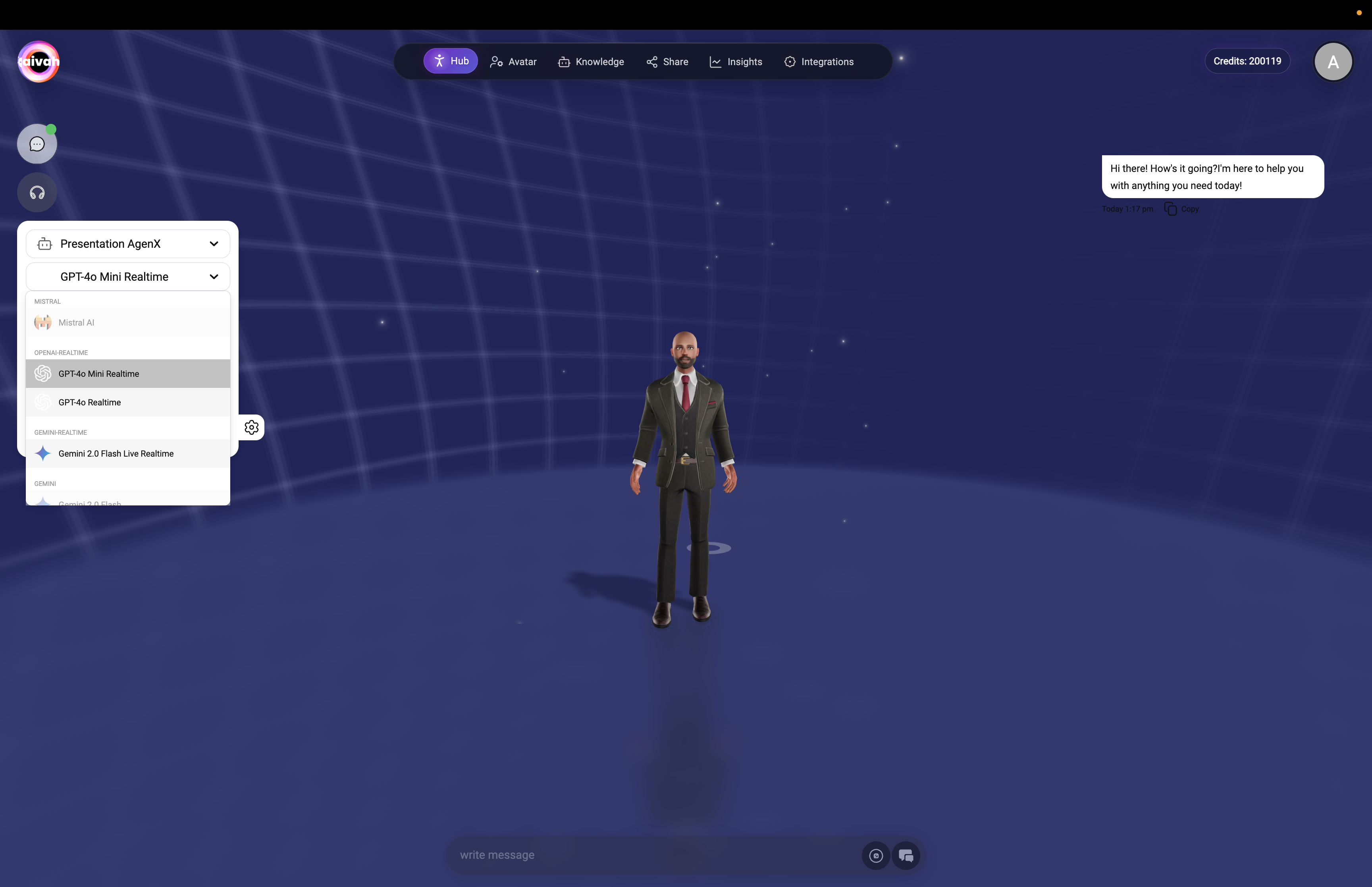
Available Models
Provider Families in the Picker:- OpenAI: GPT 4.1 mini, GPT 4.1, GPT 5, GPT 5 nano, GPT 5 mini
- Gemini: Gemini 2.5 Flash Lite, Gemini 2.5 Pro, Gemini 2.5 Flash
- OpenAI Realtime: GPT Realtime, GPT‑4o Realtime, GPT Realtime Mini (formerly “GPT‑4o Mini Realtime”)
- Groq: GPT OSS 20B, GPT OSS 120B, Qwen3‑32B, Moonshotai Kimi K2
- Creative Stack: Google Nano Banana, Veo 3.1, Sora 2 (used automatically for image/video generation prompts)
Model Selection Strategy
Pick the right model based on your priority:- Realtime conversations → OpenAI Realtime family for lowest latency, with GPT Realtime Mini as the fastest option
- Balanced quality + speed → OpenAI GPT 4.1 mini or Gemini 2.5 Flash Lite
- Premium reasoning → GPT 5, GPT 5 mini, Gemini 2.5 Pro, or Groq’s GPT OSS 120B
- Specialized workloads → Qwen3‑32B or Moonshotai Kimi K2 when you need alternative model behavior
Conversation History
History Management
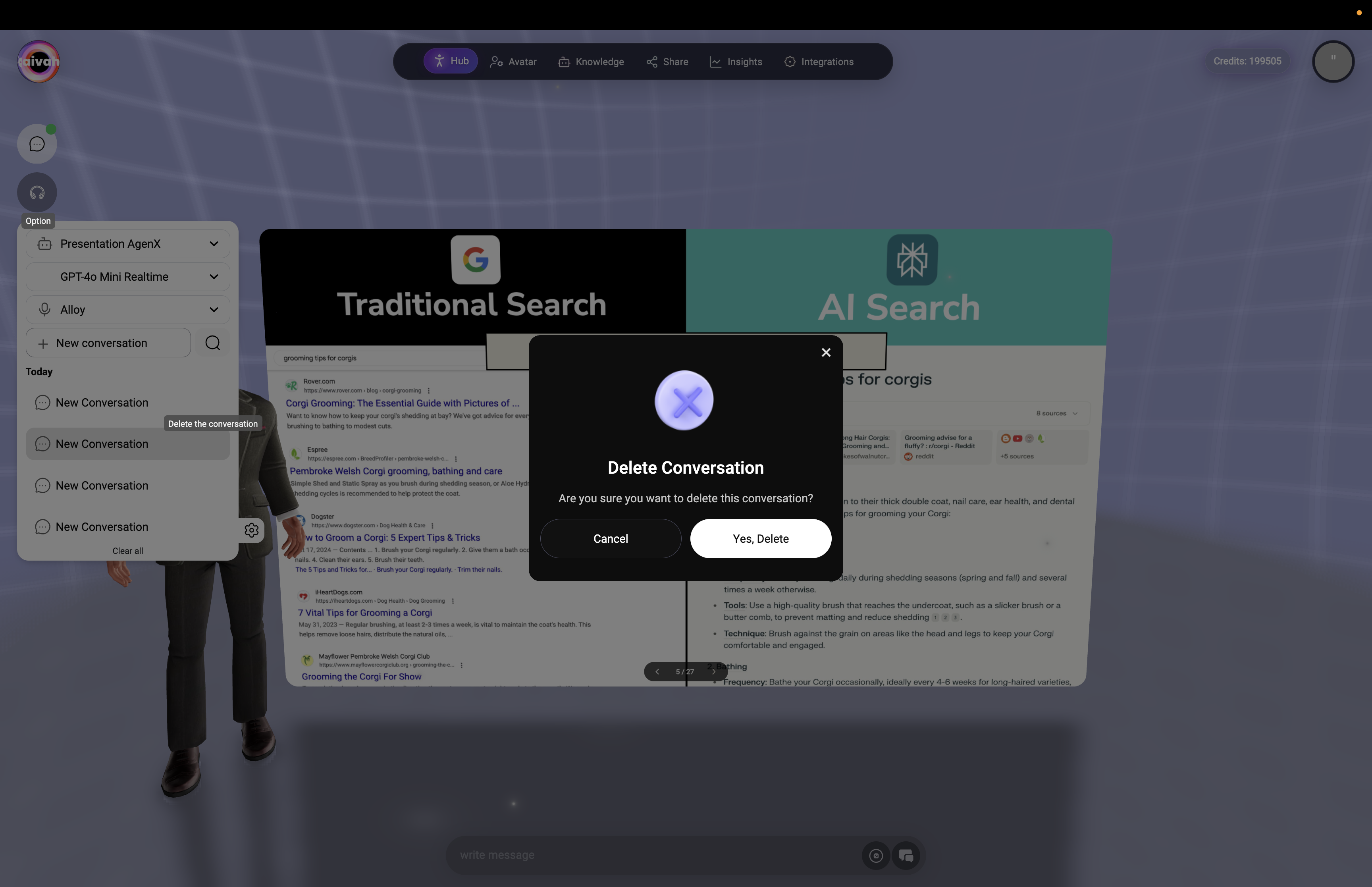
Session Access:- Previous Conversations: All past chat and voice sessions
- Organized Display: Conversations listed chronologically
- Session Details: Date, time, and duration information
- Quick Access: Click to load previous conversation context
Loading Previous Conversations
Context Integration:- Load History: Bring previous conversation into current session
- Context Awareness: Historical information informs current responses
- Seamless Continuation: Resume conversations from where they ended
- Memory Integration: Past conversations influence agent memory
History Organization
Conversation Records:- Today Section: Recent conversations from current day
- Date Organization: Conversations grouped by date
- Agent Identification: Which agents were used in each session
- Search Functionality: Find specific conversations quickly
Options Integration
Cross-Mode Compatibility
Universal Settings:- Chat and Voice: Options work in both interaction modes
- Instant Switching: Change settings without mode interruption
- Consistent Experience: Settings maintained across mode switches
- Real-Time Application: Changes take effect immediately
Avatar Coordination
Avatar-Options Synchronization:- Voice Matching: Selected voice applies to current avatar
- Agent Knowledge: Knowledge agent selection affects avatar responses
- Character Consistency: Avatar personality maintained across option changes
- Visual Coordination: Avatar appearance coordinated with voice selection
Scene Integration
Scene-Aware Options:- All Scenes: Options available in every Hub scene
- Enhanced Features: Some scenes provide additional interaction capabilities
- Context Awareness: Scene selection may influence optimal settings
- Immersive Integration: Options work with interactive scene elements
Advanced Options Features
Smart Recommendations
Intelligent Suggestions:- Agent Matching: System may suggest optimal agents for topics
- Voice Pairing: Recommended voice-avatar combinations
- Model Selection: Performance suggestions based on conversation type
- History Relevance: Relevant past conversations highlighted
Performance Optimization
System Efficiency:- Connection Quality: Options menu shows connection status
- Model Performance: Real-time performance feedback
- Voice Quality: Audio quality indicators and optimization
- Response Timing: Model selection affects response speed
Customization Options
Personalization Features:- Default Settings: Set preferred agents, voices, and models
- Quick Access: Favorite combinations for rapid selection
- Usage Patterns: System learns your preferences over time
- Workflow Optimization: Streamlined options based on usage
Best Practices
Optimal Configuration
Effective Settings:- Match Purpose: Choose agents and models appropriate for conversation goals
- Voice Selection: Select voices that complement avatar appearance and role
- Model Efficiency: Balance capability needs with response speed requirements
- Context Utilization: Load relevant conversation history for continued discussions
Workflow Optimization
Efficient Usage:- Quick Switching: Master rapid agent and voice switching for varied conversations
- History Leverage: Use previous conversations to build context and continuity
- Model Selection: Understand when to use different AI models for optimal results
- Setting Persistence: Learn which settings work best for different scenarios
Performance Management
System Efficiency:- Connection Monitoring: Watch for connection quality indicators
- Resource Management: Balance features with system performance
- Update Awareness: Keep settings current with platform improvements
- Troubleshooting: Understand how settings affect performance and quality
Troubleshooting Options
Common Issues
Settings Problems:- Options Not Loading: Refresh page or check connection status
- Agent Switch Fails: Verify agent selection and try again
- Voice Not Changing: Allow time for WebRTC reconnection
- History Not Loading: Check network connection and refresh if needed
Performance Issues
System Optimization:- Slow Response: Try switching to GPT Realtime Mini or Gemini 2.5 Flash Lite
- Connection Problems: Monitor status indicators and connection quality
- Audio Issues: Check voice selection and browser audio permissions
- Memory Problems: Clear browser cache if options become sluggish
Configuration Troubleshooting
Setting Conflicts:- Agent Mismatch: Ensure selected agent matches conversation topic
- Voice Compatibility: Verify voice works with current avatar
- Model Limitations: Check if selected model supports desired features
- History Access: Confirm conversation history is properly saved