> ## Documentation Index
> Fetch the complete documentation index at: https://opinionai.mintlify.site/llms.txt
> Use this file to discover all available pages before exploring further.
# Credits
> Monitor remaining balance and purchase additional usage credits
# Credits
Every realtime conversation, media generation request, or call consumes credits. Credits are also surfaced live in the top-right of **Avatar chat** as a small pill (for example `2,341 Credits`) so you always know what's left.
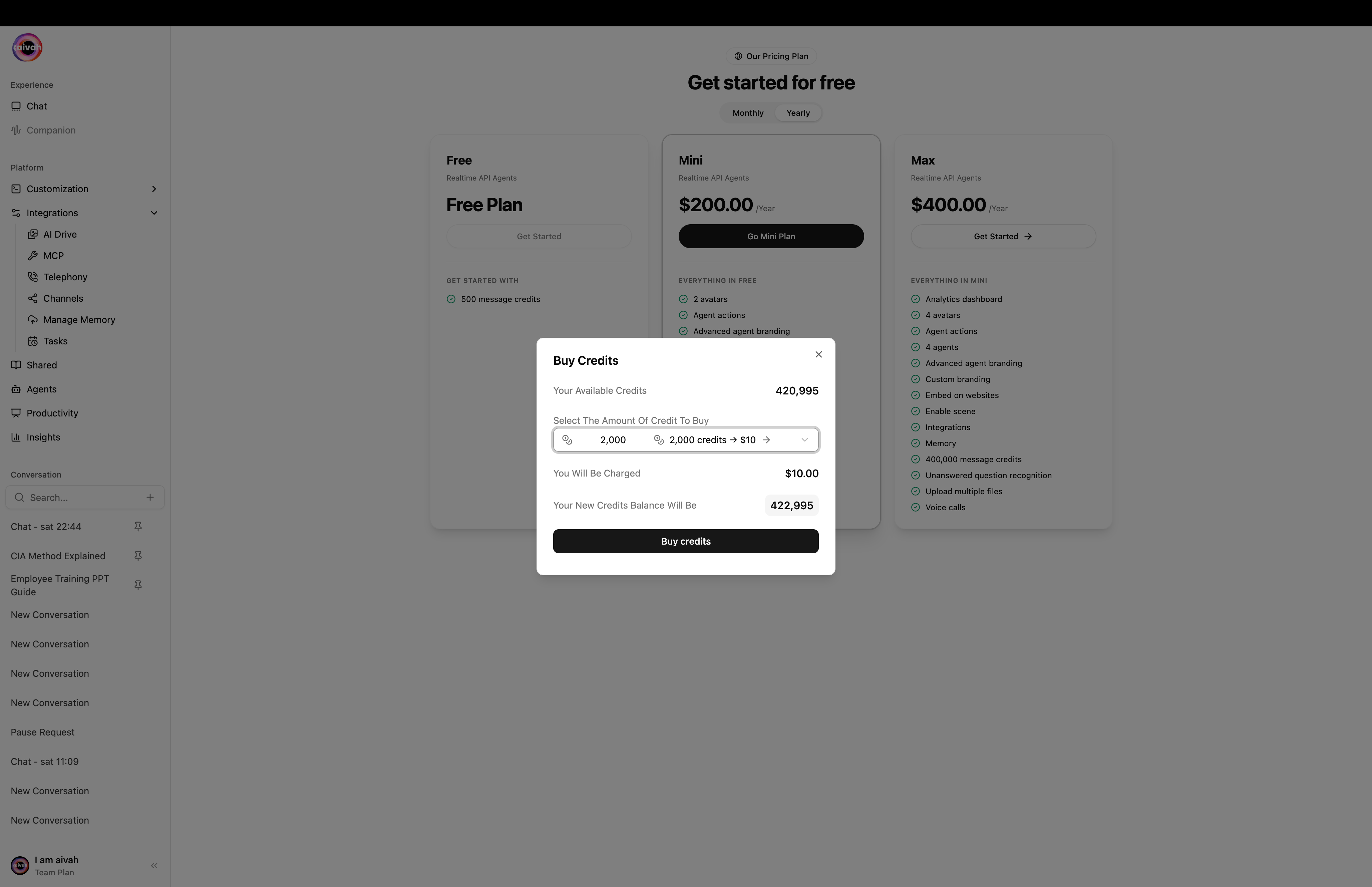
You can top up at any time from the **user menu** in the bottom of the side navigation – choose **Add credit** to open the **Buy Credits** dialog.
 ## Current Balance
* The user menu and the Avatar chat pill both display your **Available Credits**.
* The Buy Credits dialog also shows your current balance and the projected balance after a purchase, so you can verify the maths before confirming.
* Check the balance weekly to avoid unexpected depletion during high-traffic periods.
## One-off Credit Packages
The **Buy Credits** dialog (user menu → **Add credit**) lets you pick from these one-off packages:
| Credits | Price |
| ------- | ----- |
| 2,000 | \$10 |
| 5,000 | \$20 |
| 10,000 | \$30 |
| 20,000 | \$40 |
| 30,000 | \$50 |
| 40,000 | \$60 |
Confirm to start a Stripe checkout. The packages stack on top of any plan-included credits.
## Buying Credits
Click your avatar / name at the bottom of the side navigation and choose **Add credit**.
Select one of the one-off packages above. The dialog shows your current balance and the projected new balance.
Confirm the projected total credits and payable amount before proceeding. Capture a screenshot if you need an audit trail.
Press **Buy credits** to start Stripe checkout. You'll be prompted for payment details if none are stored.
After Stripe completes you're redirected to `/payment` with a success or cancel state. From there you can jump back to **Home** or **View plans**.
Always double-check with the requestor or finance team before finalizing a purchase—credit buys are typically non-refundable.
## What if credits run out mid-conversation?
You'll see a clear toast. Open the user menu → **Add credit** and buy a package. Your balance is applied immediately and the agent resumes when you send the next message.
## Best Practices
* **Set Threshold Alerts**: Establish an internal process to refill credits when the balance drops below a certain level (for example 25% of monthly usage).
* **Tie to Campaigns**: Before launching marketing pushes, forecast expected traffic and pre-purchase credits accordingly.
* **Monitor Impact**: After large purchases, review the [Insights → Agent Analytics](/insights/agent-analytics) tab to confirm credits are being used as planned.
Need help with payments or invoices? Jump to the [Billing dashboard](/platform-setup/billing) for payment method management.
## Current Balance
* The user menu and the Avatar chat pill both display your **Available Credits**.
* The Buy Credits dialog also shows your current balance and the projected balance after a purchase, so you can verify the maths before confirming.
* Check the balance weekly to avoid unexpected depletion during high-traffic periods.
## One-off Credit Packages
The **Buy Credits** dialog (user menu → **Add credit**) lets you pick from these one-off packages:
| Credits | Price |
| ------- | ----- |
| 2,000 | \$10 |
| 5,000 | \$20 |
| 10,000 | \$30 |
| 20,000 | \$40 |
| 30,000 | \$50 |
| 40,000 | \$60 |
Confirm to start a Stripe checkout. The packages stack on top of any plan-included credits.
## Buying Credits
Click your avatar / name at the bottom of the side navigation and choose **Add credit**.
Select one of the one-off packages above. The dialog shows your current balance and the projected new balance.
Confirm the projected total credits and payable amount before proceeding. Capture a screenshot if you need an audit trail.
Press **Buy credits** to start Stripe checkout. You'll be prompted for payment details if none are stored.
After Stripe completes you're redirected to `/payment` with a success or cancel state. From there you can jump back to **Home** or **View plans**.
Always double-check with the requestor or finance team before finalizing a purchase—credit buys are typically non-refundable.
## What if credits run out mid-conversation?
You'll see a clear toast. Open the user menu → **Add credit** and buy a package. Your balance is applied immediately and the agent resumes when you send the next message.
## Best Practices
* **Set Threshold Alerts**: Establish an internal process to refill credits when the balance drops below a certain level (for example 25% of monthly usage).
* **Tie to Campaigns**: Before launching marketing pushes, forecast expected traffic and pre-purchase credits accordingly.
* **Monitor Impact**: After large purchases, review the [Insights → Agent Analytics](/insights/agent-analytics) tab to confirm credits are being used as planned.
Need help with payments or invoices? Jump to the [Billing dashboard](/platform-setup/billing) for payment method management.