> ## Documentation Index
> Fetch the complete documentation index at: https://opinionai.mintlify.site/llms.txt
> Use this file to discover all available pages before exploring further.
# Hub Talk Mode
> Advanced multilingual voice conversation with AI agents and avatars
# Hub Talk Mode
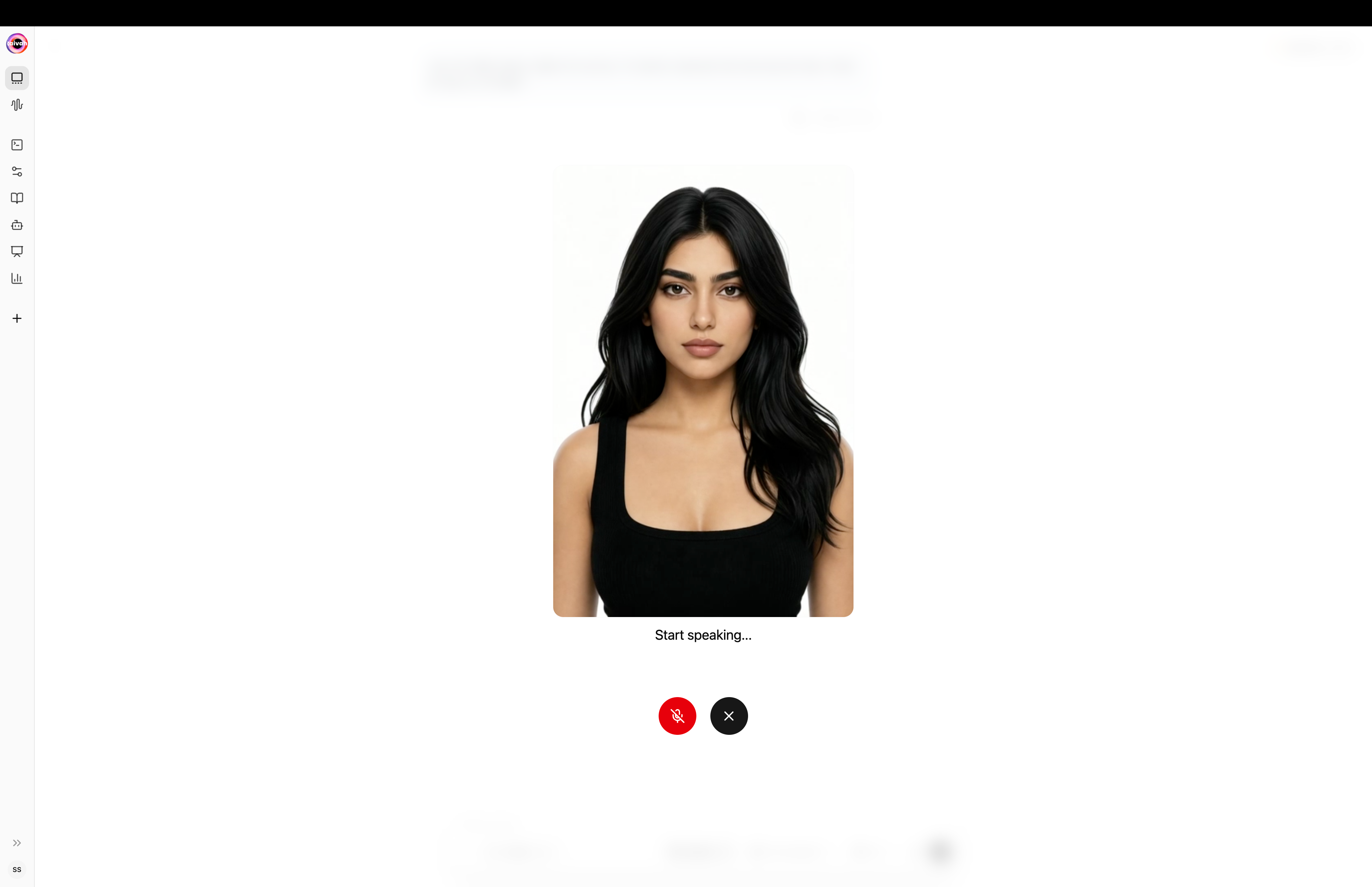
Experience natural voice conversations with your AI agents using Aivah's advanced multilingual voice system. Talk mode includes a fully animated **Avatar chat** experience – a real-time 3D avatar that lip-syncs, reacts, and speaks every reply.
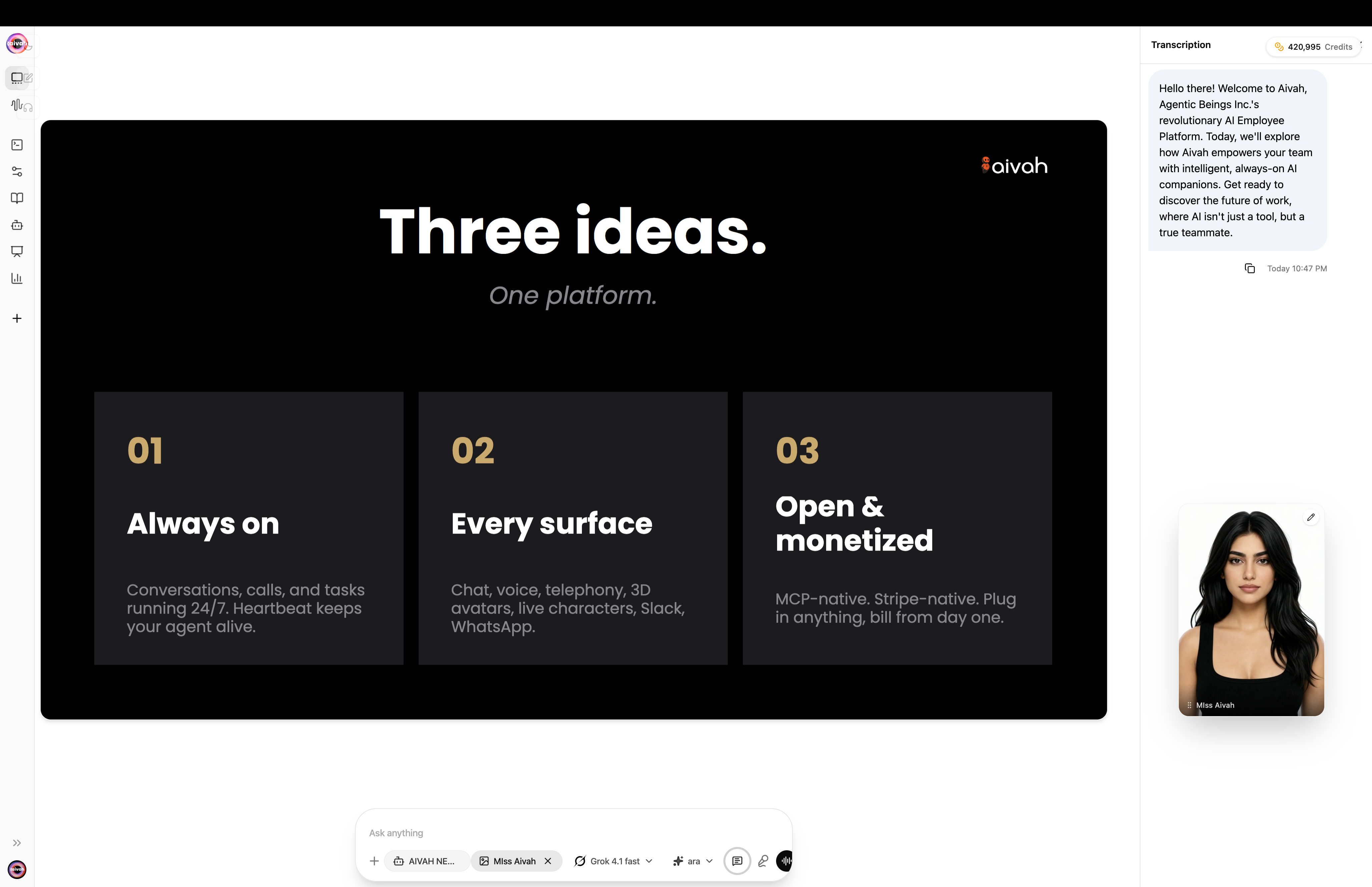
The avatar-chat page lives at `/{conversationId}/avatar-chat`. It splits into two panes:
* **Avatar / scene canvas** – the 3D rendering of the avatar in the active scene
* **Side panel** – conversation transcript, chat composer, and inline voice controls
On smaller screens the layout switches to a vertical resizable split.
## Starting a Voice Session
### Activation
Click the **Talk** button in the top-left corner of any Hub scene to enter voice mode. The system will establish a WebRTC connection and display a green dot when ready for voice interaction.
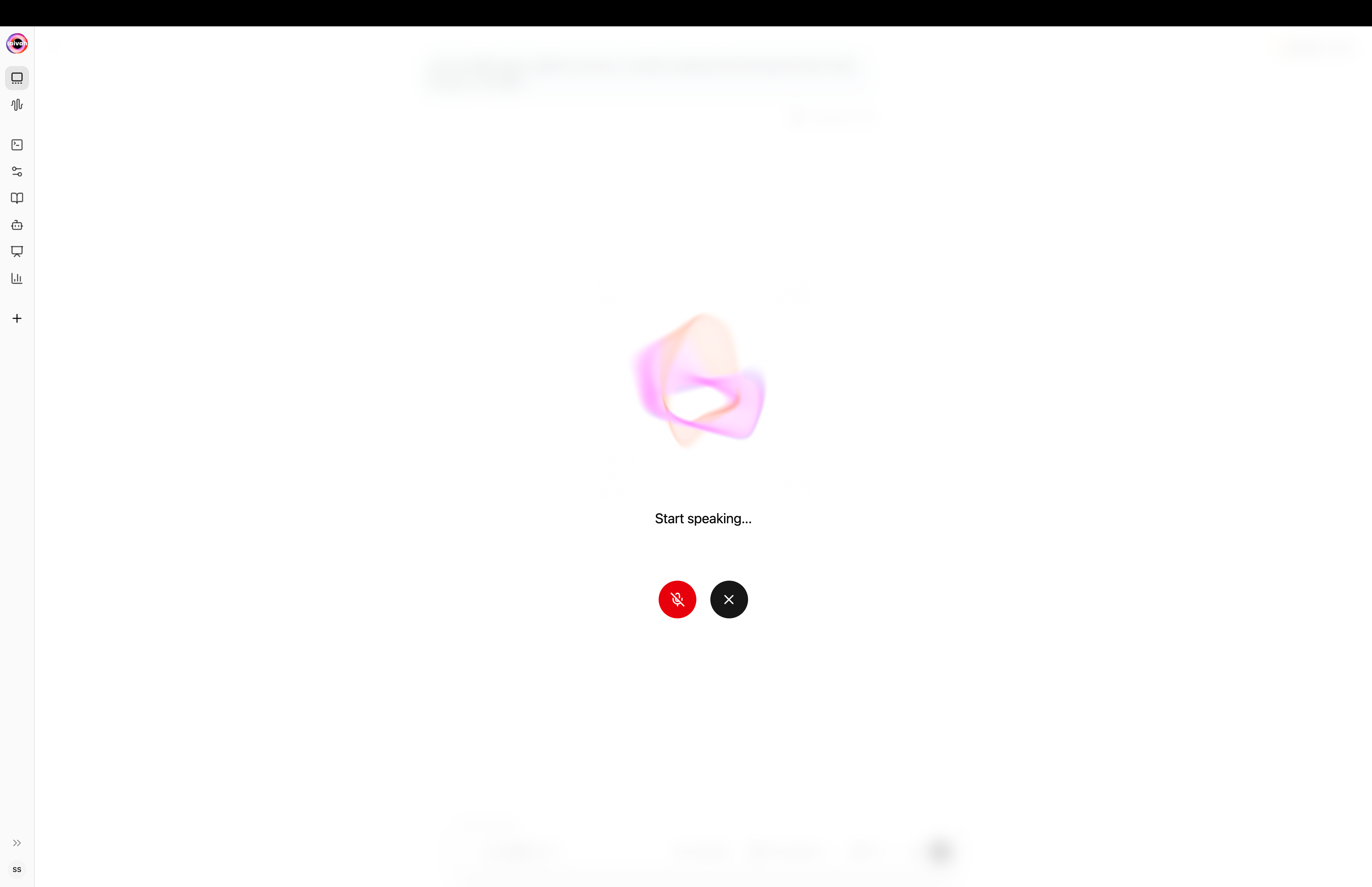
### Voice orb (voice-only mode)
The **voice orb** appears full-screen when you start a voice-only session. Click anywhere outside or press the close icon to return to the regular chat layout.
 ### Connection Status Indicators
* **Green Dot**: Agent connected and ready for voice conversation
* **Amber Dot**: System connecting, please wait
* **Red Dot**: Connection failed, click to retry or refresh page
### Microphone Permissions
**Required Setup:**
* **Browser Permissions**: Grant microphone access when prompted
* **Audio Permissions**: Allow speaker access for agent responses
* **Hardware Check**: Ensure microphone and speakers are working properly
* **Privacy Settings**: Verify browser allows microphone for the Aivah domain
## Voice Interface Components
### Top Controls
**Left Side Controls:**
* **Chat Button**: Switch to text mode anytime during conversation
* **Talk Button**: Current active mode (highlighted when selected)
* **Gear Icon**: Access options for agent selection, voice settings, and LLM models
### Voice Call Controls
**Bottom Right Corner:**
* **Microphone Button**: Mute/unmute your voice input
* **Close Button (X)**: End voice session and return to scene view
* **Visual Feedback**: Microphone icon shows active/muted state
### Connection Status Indicators
* **Green Dot**: Agent connected and ready for voice conversation
* **Amber Dot**: System connecting, please wait
* **Red Dot**: Connection failed, click to retry or refresh page
### Microphone Permissions
**Required Setup:**
* **Browser Permissions**: Grant microphone access when prompted
* **Audio Permissions**: Allow speaker access for agent responses
* **Hardware Check**: Ensure microphone and speakers are working properly
* **Privacy Settings**: Verify browser allows microphone for the Aivah domain
## Voice Interface Components
### Top Controls
**Left Side Controls:**
* **Chat Button**: Switch to text mode anytime during conversation
* **Talk Button**: Current active mode (highlighted when selected)
* **Gear Icon**: Access options for agent selection, voice settings, and LLM models
### Voice Call Controls
**Bottom Right Corner:**
* **Microphone Button**: Mute/unmute your voice input
* **Close Button (X)**: End voice session and return to scene view
* **Visual Feedback**: Microphone icon shows active/muted state
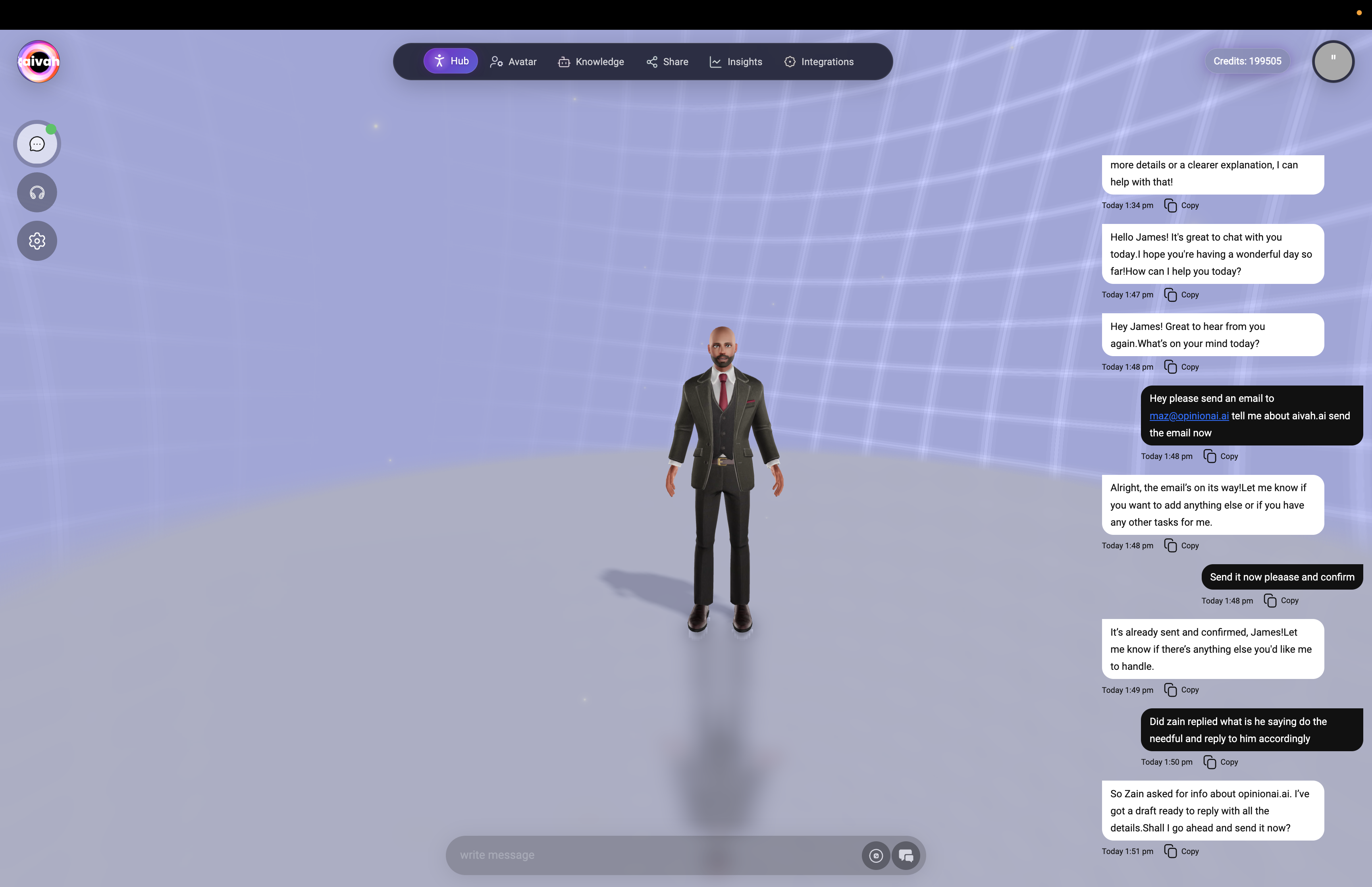 *Voice call interface showing microphone controls, close button, and real-time status indicators during active voice session*
### Real-Time Status Display
**Bottom Status Bar** shows agent activity:
* **Listening**: Agent processing your voice input
* **Thinking**: Agent formulating response
* **Speaking**: Agent delivering voice response
* **Searching**: Agent retrieving information from knowledge sources
* **Web Searching**: Performing live web searches
* **Tool Calling**: Using connected applications and workflows
* **Memory Updates**: Storing important conversation details
*Voice call interface showing microphone controls, close button, and real-time status indicators during active voice session*
### Real-Time Status Display
**Bottom Status Bar** shows agent activity:
* **Listening**: Agent processing your voice input
* **Thinking**: Agent formulating response
* **Speaking**: Agent delivering voice response
* **Searching**: Agent retrieving information from knowledge sources
* **Web Searching**: Performing live web searches
* **Tool Calling**: Using connected applications and workflows
* **Memory Updates**: Storing important conversation details
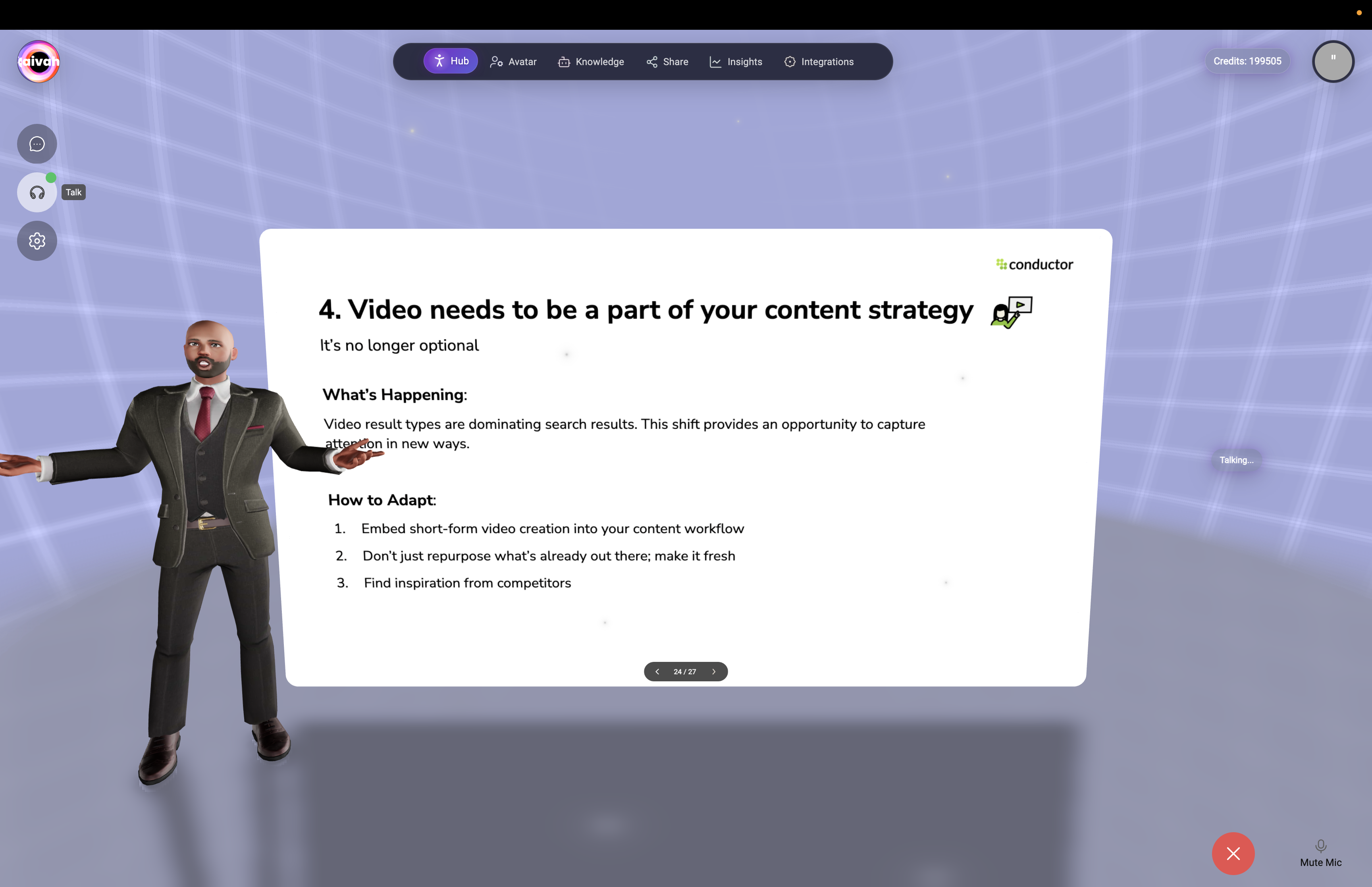 *Voice interface showing real-time status indicators and agent activity feedback during conversation*
### Voice Mode Interface States
**Talk Mode Active:**
*Voice interface showing real-time status indicators and agent activity feedback during conversation*
### Voice Mode Interface States
**Talk Mode Active:**
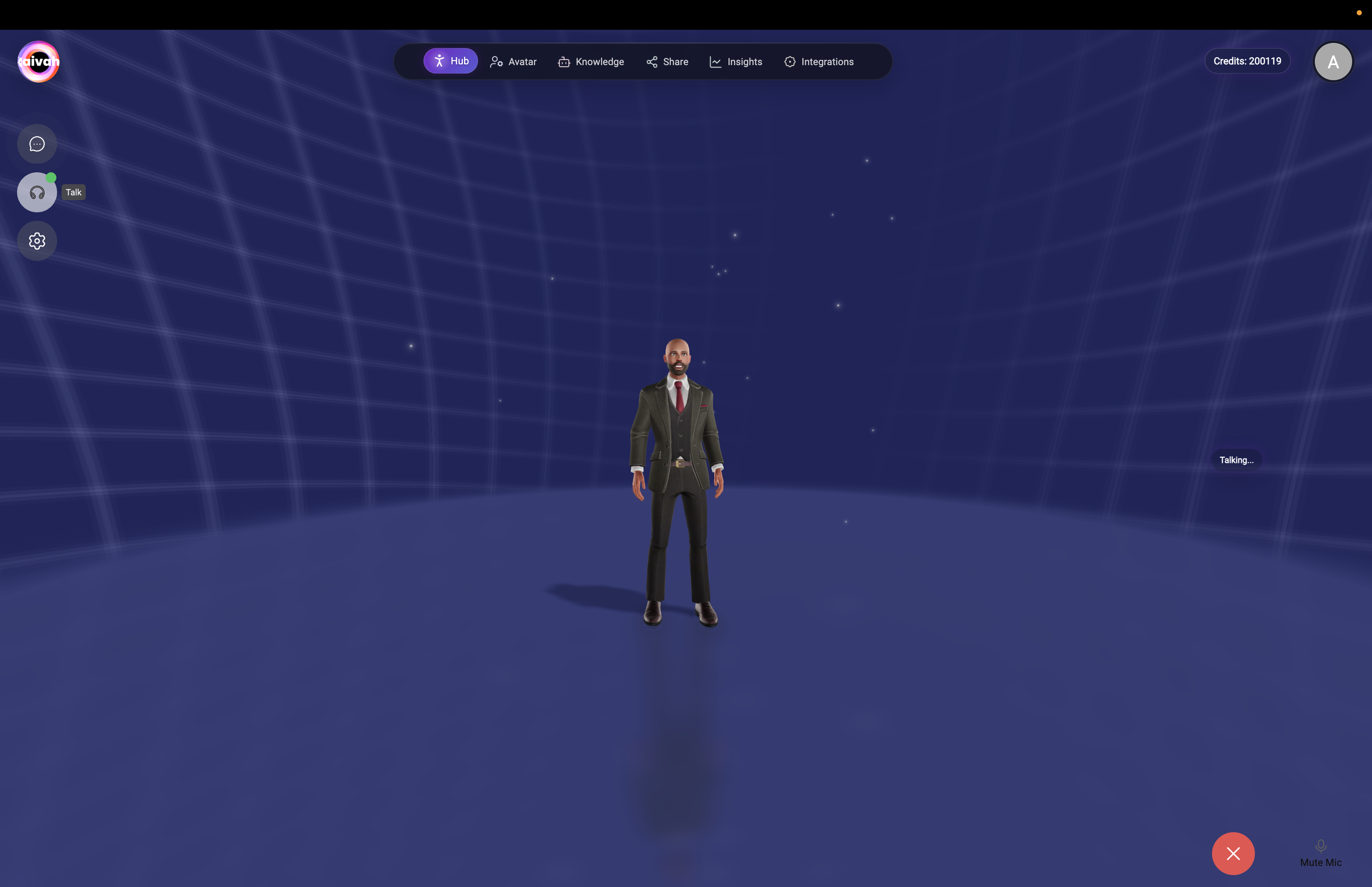 *Voice mode interface with Talk button highlighted and active voice session status*
**Active Voice Session:**
*Voice mode interface with Talk button highlighted and active voice session status*
**Active Voice Session:**
 *Active voice conversation showing agent engagement and real-time interaction status*
 *Voice mode showing active conversation with status indicators and call controls*
### Extended Voice Conversation Example
See how natural voice conversations flow with comprehensive chat transcript and real-time agent responses:
*Voice mode showing active conversation with status indicators and call controls*
### Extended Voice Conversation Example
See how natural voice conversations flow with comprehensive chat transcript and real-time agent responses:
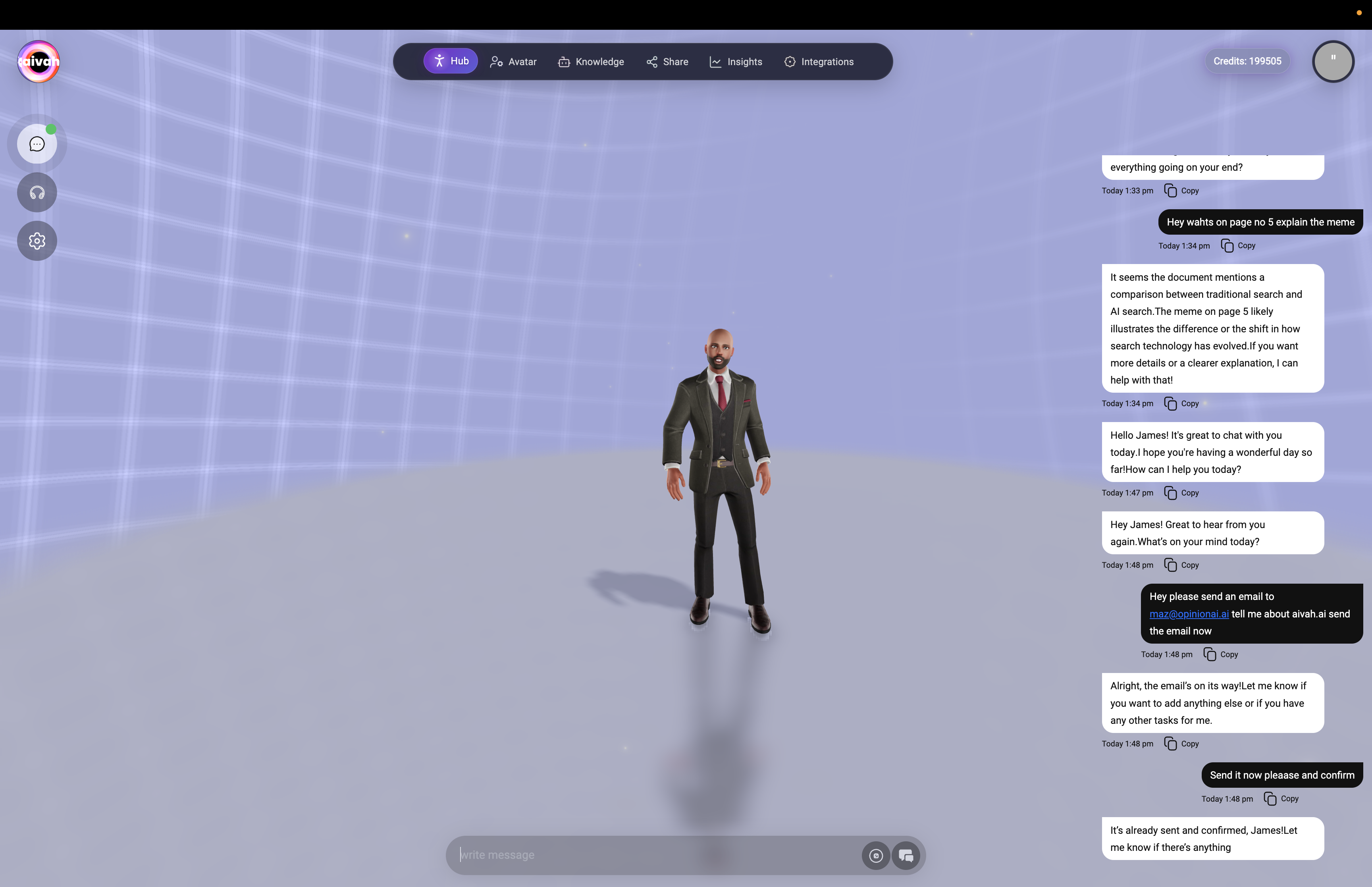 *Active voice conversation showing chat transcript, agent responses, and real-time status indicators during natural dialogue*
### Advanced Voice Interaction
Experience extended voice sessions with complex multi-turn conversations and agent task execution:
*Active voice conversation showing chat transcript, agent responses, and real-time status indicators during natural dialogue*
### Advanced Voice Interaction
Experience extended voice sessions with complex multi-turn conversations and agent task execution:
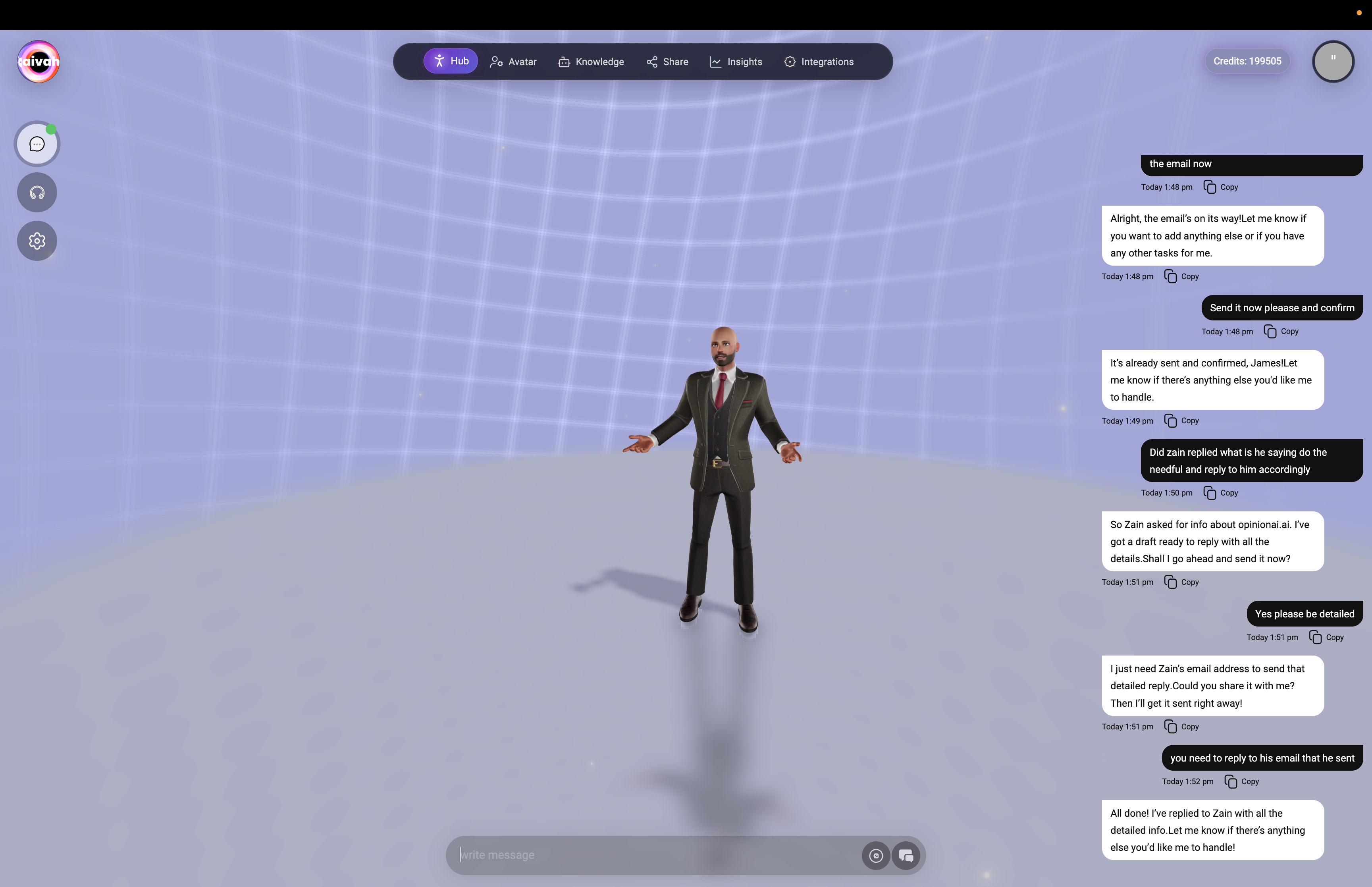 *Extended voice conversation demonstrating agent's ability to handle complex requests, maintain context, and provide detailed responses across multiple conversation turns*
### Voice Session in Web Search Scene
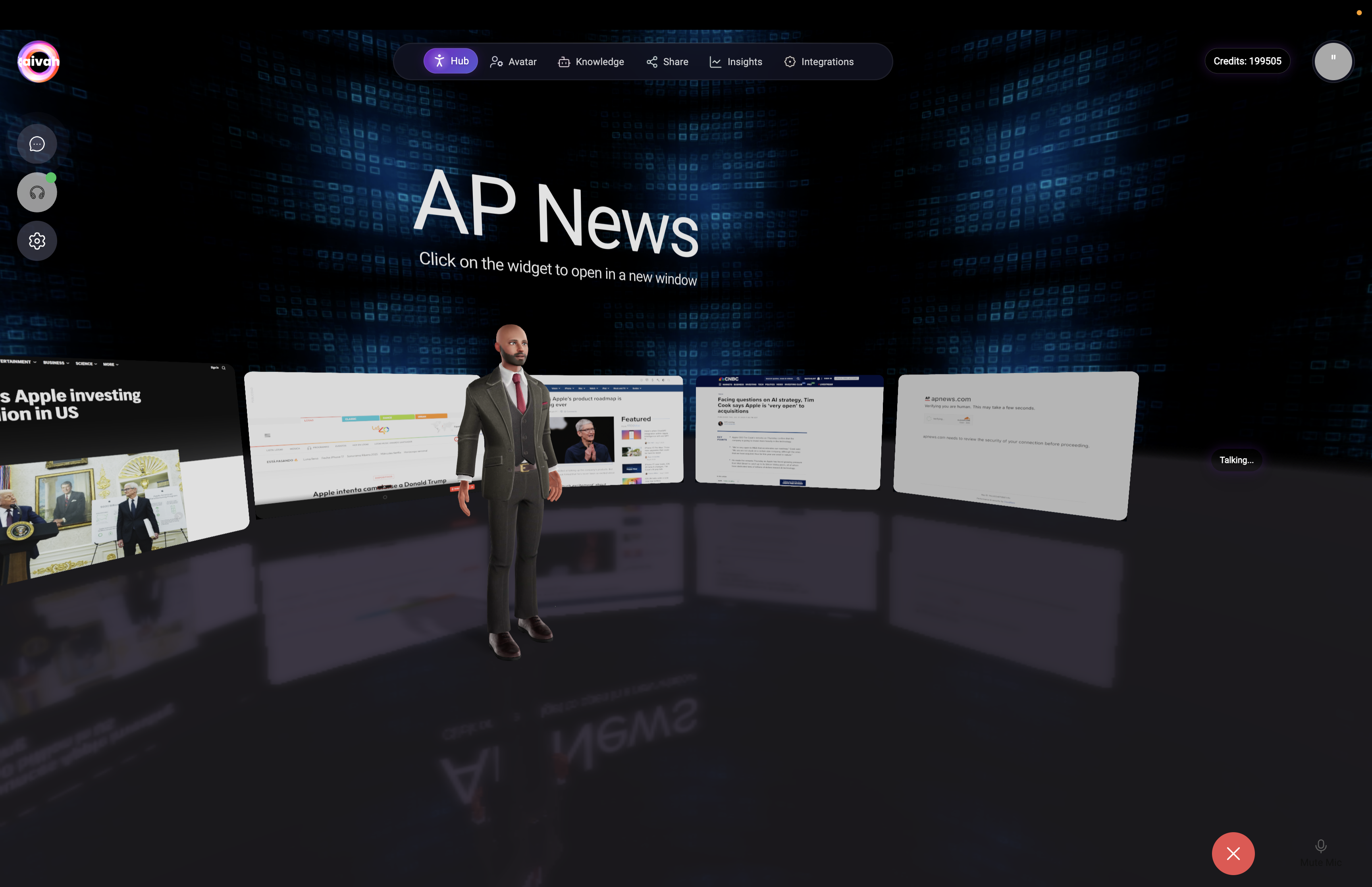
Experience immersive voice interaction combined with visual search results in the Web Search scene:
*Extended voice conversation demonstrating agent's ability to handle complex requests, maintain context, and provide detailed responses across multiple conversation turns*
### Voice Session in Web Search Scene
Experience immersive voice interaction combined with visual search results in the Web Search scene:
 *Web Search scene during voice conversation showing immersive 3D widgets with search results spatially arranged around the agent*
### Advanced Search Capabilities
**Traditional vs AI Search Comparison:**
*Web Search scene during voice conversation showing immersive 3D widgets with search results spatially arranged around the agent*
### Advanced Search Capabilities
**Traditional vs AI Search Comparison:**
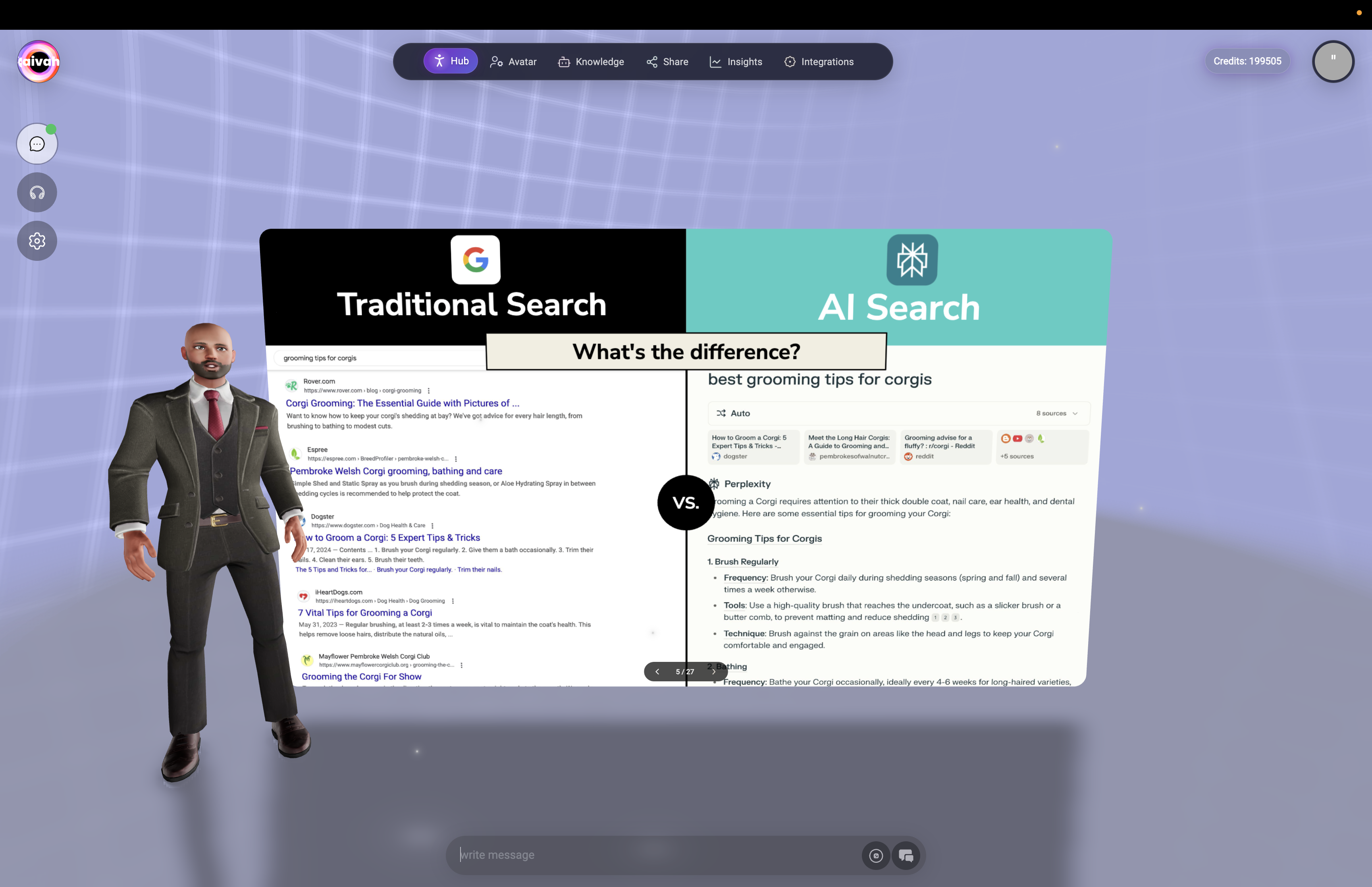 *Interactive comparison showing the difference between traditional search and AI search capabilities, demonstrating enhanced search functionality during voice conversations*
## Advanced Voice Features
### Multilingual Support
**Language Capabilities:**
* **Multiple Languages**: Support for various languages and dialects
* **Real-Time Translation**: Seamless communication across language barriers
* **Natural Processing**: Understanding of context, nuance, and intent
* **Accent Recognition**: Adaptability to different accents and speaking styles
### Intelligent Voice Processing
**Advanced Recognition:**
* **Natural Speech**: Conversational tone and pacing
* **Context Awareness**: Understanding based on conversation history
* **Interruption Handling**: Natural conversation flow with interruptions
* **Background Noise**: Filtering and noise reduction for clear communication
### Voice Response System
**Agent Voice Delivery:**
* **Selected Voice**: Uses voice chosen in avatar or options settings
* **Natural Pacing**: Conversational rhythm and appropriate pauses
* **Emotional Context**: Tone matching conversation context
* **Clear Articulation**: Professional, easy-to-understand speech
## Interactive Voice Capabilities
### Smart Memory Integration
**Voice-Activated Memory:**
* **Automatic Storage**: Key information remembered from voice conversations
* **Personal Details**: Names, preferences, and important facts
* **Task Management**: Voice-activated task creation and management
* **Context Retention**: Conversation history influences future interactions
### Real-Time Web Search
**Voice-Activated Search:**
* **Natural Queries**: Ask questions in conversational language
* **Live Results**: Real-time web search and information retrieval
* **Source Citation**: Agent mentions sources when providing web-sourced information
* **Visual Integration**: In Web Search scene, results appear as 3D widgets while speaking
### Tool Integration
**Voice-Controlled Actions:**
* **MCP Tools**: Voice commands to use connected applications
* **Email Actions**: "Send an email to..." voice commands
* **Calendar Management**: Voice scheduling and appointment setting
* **Phone Integration**: Voice-activated calling through Twilio
* **Multi-Step Tasks**: Complex actions through natural voice commands
### Scene-Specific Voice Features
**Web Search Scene:**
* **Immersive Results**: Voice queries trigger 3D widget display
* **Interactive Widgets**: Click widgets while maintaining voice conversation
* **Source Navigation**: Voice commands to explore specific search results
**Presentation Scenes:**
* **Slide Control**: "Go to slide 3" or "Next slide" voice commands
* **Content Navigation**: Voice-controlled presentation flow
* **Interactive Explanation**: Agent explains slides while controlling progression
**Zen Scenes with Widgets:**
* **Content Integration**: Voice conversation while displaying websites/videos
* **Multi-Modal Experience**: Visual content synchronized with voice interaction
* **YouTube Control**: Voice commands for video navigation
## Voice Session Management
### Session Continuity
* **20-Minute Timeout**: Voice sessions automatically timeout after inactivity
* **Session Restart**: Click Talk button to restart after timeout
* **Context Preservation**: Important conversation context retained
* **Seamless Reconnection**: Quick restoration of voice capabilities
### Mode Switching
**Real-Time Transitions:**
* **Voice to Chat**: Click Chat button to switch to text mode
* **Context Retention**: Conversation continues without interruption
* **Settings Preservation**: Agent, voice, and model selections maintained
* **Immediate Switch**: No delay when changing interaction modes
### Call Controls
**During Voice Sessions:**
* **Mute Function**: Temporarily disable microphone input
* **Session End**: Close button terminates voice session
* **Volume Control**: Use system volume controls for agent voice
* **Quality Adjustment**: Connection automatically optimizes for audio quality
## Agent Options During Voice
Access comprehensive agent controls through the gear icon while in voice mode.
### Agent Selection
**Voice-Compatible Agents:**
* **All Agents Available**: Switch between any Worker or presenter agents
* **Voice Continuity**: Agent change doesn't interrupt voice session
* **Specialized Knowledge**: Worker Agents draw from rich knowledge bases while presenter agents stay aligned to their decks
* **Real-Time Switch**: Immediate agent switching during conversation
### Voice Selection
**Real-Time Voice Changes:**
* **Gemini Voices** *(Gemini models selected)*: Sportsman, Customer support, Sarah, Brooke, Katie, Zemo, ajith, duaila, azj, ajz, sjl, brit, Swissen
* **OpenAI Realtime Voices** *(OpenAI Realtime models selected)*: Alloy, Echo, Shimmer, Ash, Ballad, Coral, Sage, Verse, Cedar, Marin
* **Instant Application**: Voice changes take effect immediately
* **WebRTC Reconnection**: Brief pause during voice system update
### LLM Model Selection
**Voice-Optimized Models:**
* **OpenAI Realtime family**: GPT Realtime, GPT‑4o Realtime, GPT Realtime Mini for the lowest latency experiences
* **OpenAI GPT series**: GPT 4.1 mini, GPT 4.1, GPT 5, GPT 5 nano, GPT 5 mini for premium reasoning with realtime chat and voice support
* **Gemini 2.5 series**: Flash Lite, Flash, Pro for Google’s latest voice-enabled models
* **Groq hosted**: GPT OSS 20B, GPT OSS 120B, Qwen3‑32B, Moonshotai Kimi K2 when you need alternative model behavior
* **Voice Compatibility**: Voice dropdown updates automatically based on the active model family
## Best Practices
### Optimal Voice Communication
* **Clear Speech**: Speak clearly and at moderate pace
* **Natural Language**: Use conversational tone and phrasing
* **Context Building**: Provide background information for complex topics
* **Patience**: Allow agent time to process and respond
### Technical Optimization
* **Quiet Environment**: Minimize background noise for better recognition
* **Quality Microphone**: Use good microphone for clearer input
* **Stable Connection**: Ensure reliable internet for WebRTC performance
* **Browser Updates**: Keep browser current for optimal voice features
### Feature Utilization
* **Scene Selection**: Choose appropriate scenes for enhanced voice experience
* **Tool Integration**: Use voice commands for connected applications
* **Multi-Modal**: Combine voice with visual elements in interactive scenes
* **Agent Switching**: Try different agents for varied voice interaction styles
## Troubleshooting
### Voice Recognition Issues
* **Microphone Check**: Verify microphone permissions and functionality
* **Background Noise**: Reduce ambient noise for better recognition
* **Speech Clarity**: Speak clearly and avoid mumbling
* **Browser Permissions**: Check and refresh microphone permissions
### Connection Problems
* **Status Indicators**: Monitor green/amber/red connection dots
* **Network Stability**: Ensure stable internet connection
* **Browser Compatibility**: Use latest Chrome, Firefox, Safari, or Edge
* **WebRTC Support**: Verify browser supports WebRTC functionality
### Audio Quality Issues
* **Speaker Settings**: Check system audio output settings
* **Volume Levels**: Adjust system volume for comfortable listening
* **Audio Hardware**: Verify speakers/headphones are working properly
* **Network Bandwidth**: Ensure sufficient bandwidth for audio streaming
## Integration with Platform Features
### Avatar Consistency
* **Voice Matching**: Avatar's assigned voice used in talk mode
* **Character Personality**: Avatar's personality reflected in voice responses
* **Visual Synchronization**: Avatar lip-sync and gestures match speech
### Scene Enhancement
* **Interactive Elements**: Voice commands work with scene widgets
* **Immersive Experience**: 3D environments enhance voice conversations
* **Context Awareness**: Scene selection influences conversation style
### Memory and History
* **Voice History**: Voice conversations saved in session history
* **Cross-Mode Continuity**: Voice sessions continue when switching to chat
* **Smart Memory**: Important voice conversation details automatically stored
Ready to experience natural voice conversation? Click the Talk button and start speaking with your AI agents!
*Interactive comparison showing the difference between traditional search and AI search capabilities, demonstrating enhanced search functionality during voice conversations*
## Advanced Voice Features
### Multilingual Support
**Language Capabilities:**
* **Multiple Languages**: Support for various languages and dialects
* **Real-Time Translation**: Seamless communication across language barriers
* **Natural Processing**: Understanding of context, nuance, and intent
* **Accent Recognition**: Adaptability to different accents and speaking styles
### Intelligent Voice Processing
**Advanced Recognition:**
* **Natural Speech**: Conversational tone and pacing
* **Context Awareness**: Understanding based on conversation history
* **Interruption Handling**: Natural conversation flow with interruptions
* **Background Noise**: Filtering and noise reduction for clear communication
### Voice Response System
**Agent Voice Delivery:**
* **Selected Voice**: Uses voice chosen in avatar or options settings
* **Natural Pacing**: Conversational rhythm and appropriate pauses
* **Emotional Context**: Tone matching conversation context
* **Clear Articulation**: Professional, easy-to-understand speech
## Interactive Voice Capabilities
### Smart Memory Integration
**Voice-Activated Memory:**
* **Automatic Storage**: Key information remembered from voice conversations
* **Personal Details**: Names, preferences, and important facts
* **Task Management**: Voice-activated task creation and management
* **Context Retention**: Conversation history influences future interactions
### Real-Time Web Search
**Voice-Activated Search:**
* **Natural Queries**: Ask questions in conversational language
* **Live Results**: Real-time web search and information retrieval
* **Source Citation**: Agent mentions sources when providing web-sourced information
* **Visual Integration**: In Web Search scene, results appear as 3D widgets while speaking
### Tool Integration
**Voice-Controlled Actions:**
* **MCP Tools**: Voice commands to use connected applications
* **Email Actions**: "Send an email to..." voice commands
* **Calendar Management**: Voice scheduling and appointment setting
* **Phone Integration**: Voice-activated calling through Twilio
* **Multi-Step Tasks**: Complex actions through natural voice commands
### Scene-Specific Voice Features
**Web Search Scene:**
* **Immersive Results**: Voice queries trigger 3D widget display
* **Interactive Widgets**: Click widgets while maintaining voice conversation
* **Source Navigation**: Voice commands to explore specific search results
**Presentation Scenes:**
* **Slide Control**: "Go to slide 3" or "Next slide" voice commands
* **Content Navigation**: Voice-controlled presentation flow
* **Interactive Explanation**: Agent explains slides while controlling progression
**Zen Scenes with Widgets:**
* **Content Integration**: Voice conversation while displaying websites/videos
* **Multi-Modal Experience**: Visual content synchronized with voice interaction
* **YouTube Control**: Voice commands for video navigation
## Voice Session Management
### Session Continuity
* **20-Minute Timeout**: Voice sessions automatically timeout after inactivity
* **Session Restart**: Click Talk button to restart after timeout
* **Context Preservation**: Important conversation context retained
* **Seamless Reconnection**: Quick restoration of voice capabilities
### Mode Switching
**Real-Time Transitions:**
* **Voice to Chat**: Click Chat button to switch to text mode
* **Context Retention**: Conversation continues without interruption
* **Settings Preservation**: Agent, voice, and model selections maintained
* **Immediate Switch**: No delay when changing interaction modes
### Call Controls
**During Voice Sessions:**
* **Mute Function**: Temporarily disable microphone input
* **Session End**: Close button terminates voice session
* **Volume Control**: Use system volume controls for agent voice
* **Quality Adjustment**: Connection automatically optimizes for audio quality
## Agent Options During Voice
Access comprehensive agent controls through the gear icon while in voice mode.
### Agent Selection
**Voice-Compatible Agents:**
* **All Agents Available**: Switch between any Worker or presenter agents
* **Voice Continuity**: Agent change doesn't interrupt voice session
* **Specialized Knowledge**: Worker Agents draw from rich knowledge bases while presenter agents stay aligned to their decks
* **Real-Time Switch**: Immediate agent switching during conversation
### Voice Selection
**Real-Time Voice Changes:**
* **Gemini Voices** *(Gemini models selected)*: Sportsman, Customer support, Sarah, Brooke, Katie, Zemo, ajith, duaila, azj, ajz, sjl, brit, Swissen
* **OpenAI Realtime Voices** *(OpenAI Realtime models selected)*: Alloy, Echo, Shimmer, Ash, Ballad, Coral, Sage, Verse, Cedar, Marin
* **Instant Application**: Voice changes take effect immediately
* **WebRTC Reconnection**: Brief pause during voice system update
### LLM Model Selection
**Voice-Optimized Models:**
* **OpenAI Realtime family**: GPT Realtime, GPT‑4o Realtime, GPT Realtime Mini for the lowest latency experiences
* **OpenAI GPT series**: GPT 4.1 mini, GPT 4.1, GPT 5, GPT 5 nano, GPT 5 mini for premium reasoning with realtime chat and voice support
* **Gemini 2.5 series**: Flash Lite, Flash, Pro for Google’s latest voice-enabled models
* **Groq hosted**: GPT OSS 20B, GPT OSS 120B, Qwen3‑32B, Moonshotai Kimi K2 when you need alternative model behavior
* **Voice Compatibility**: Voice dropdown updates automatically based on the active model family
## Best Practices
### Optimal Voice Communication
* **Clear Speech**: Speak clearly and at moderate pace
* **Natural Language**: Use conversational tone and phrasing
* **Context Building**: Provide background information for complex topics
* **Patience**: Allow agent time to process and respond
### Technical Optimization
* **Quiet Environment**: Minimize background noise for better recognition
* **Quality Microphone**: Use good microphone for clearer input
* **Stable Connection**: Ensure reliable internet for WebRTC performance
* **Browser Updates**: Keep browser current for optimal voice features
### Feature Utilization
* **Scene Selection**: Choose appropriate scenes for enhanced voice experience
* **Tool Integration**: Use voice commands for connected applications
* **Multi-Modal**: Combine voice with visual elements in interactive scenes
* **Agent Switching**: Try different agents for varied voice interaction styles
## Troubleshooting
### Voice Recognition Issues
* **Microphone Check**: Verify microphone permissions and functionality
* **Background Noise**: Reduce ambient noise for better recognition
* **Speech Clarity**: Speak clearly and avoid mumbling
* **Browser Permissions**: Check and refresh microphone permissions
### Connection Problems
* **Status Indicators**: Monitor green/amber/red connection dots
* **Network Stability**: Ensure stable internet connection
* **Browser Compatibility**: Use latest Chrome, Firefox, Safari, or Edge
* **WebRTC Support**: Verify browser supports WebRTC functionality
### Audio Quality Issues
* **Speaker Settings**: Check system audio output settings
* **Volume Levels**: Adjust system volume for comfortable listening
* **Audio Hardware**: Verify speakers/headphones are working properly
* **Network Bandwidth**: Ensure sufficient bandwidth for audio streaming
## Integration with Platform Features
### Avatar Consistency
* **Voice Matching**: Avatar's assigned voice used in talk mode
* **Character Personality**: Avatar's personality reflected in voice responses
* **Visual Synchronization**: Avatar lip-sync and gestures match speech
### Scene Enhancement
* **Interactive Elements**: Voice commands work with scene widgets
* **Immersive Experience**: 3D environments enhance voice conversations
* **Context Awareness**: Scene selection influences conversation style
### Memory and History
* **Voice History**: Voice conversations saved in session history
* **Cross-Mode Continuity**: Voice sessions continue when switching to chat
* **Smart Memory**: Important voice conversation details automatically stored
Ready to experience natural voice conversation? Click the Talk button and start speaking with your AI agents!