> ## Documentation Index
> Fetch the complete documentation index at: https://opinionai.mintlify.site/llms.txt
> Use this file to discover all available pages before exploring further.
# Tasks (Cron & Heartbeat)
> Scheduled cron jobs and heartbeat-based background tasks created by your agent
# Tasks
Aivah's **Tasks** page (`Side nav → Integrations → Tasks`, or `/integrations/tasks`) is where every scheduled or recurring job created by you or your AI agent lives. Anything from *"remind me on Monday at 9 AM"* to *"ping me if the API is down"* shows up here.
The page is split into two tabs, each with badge counters and a **Refresh** button.
## Cron Jobs
Scheduled jobs that run on a cron expression.
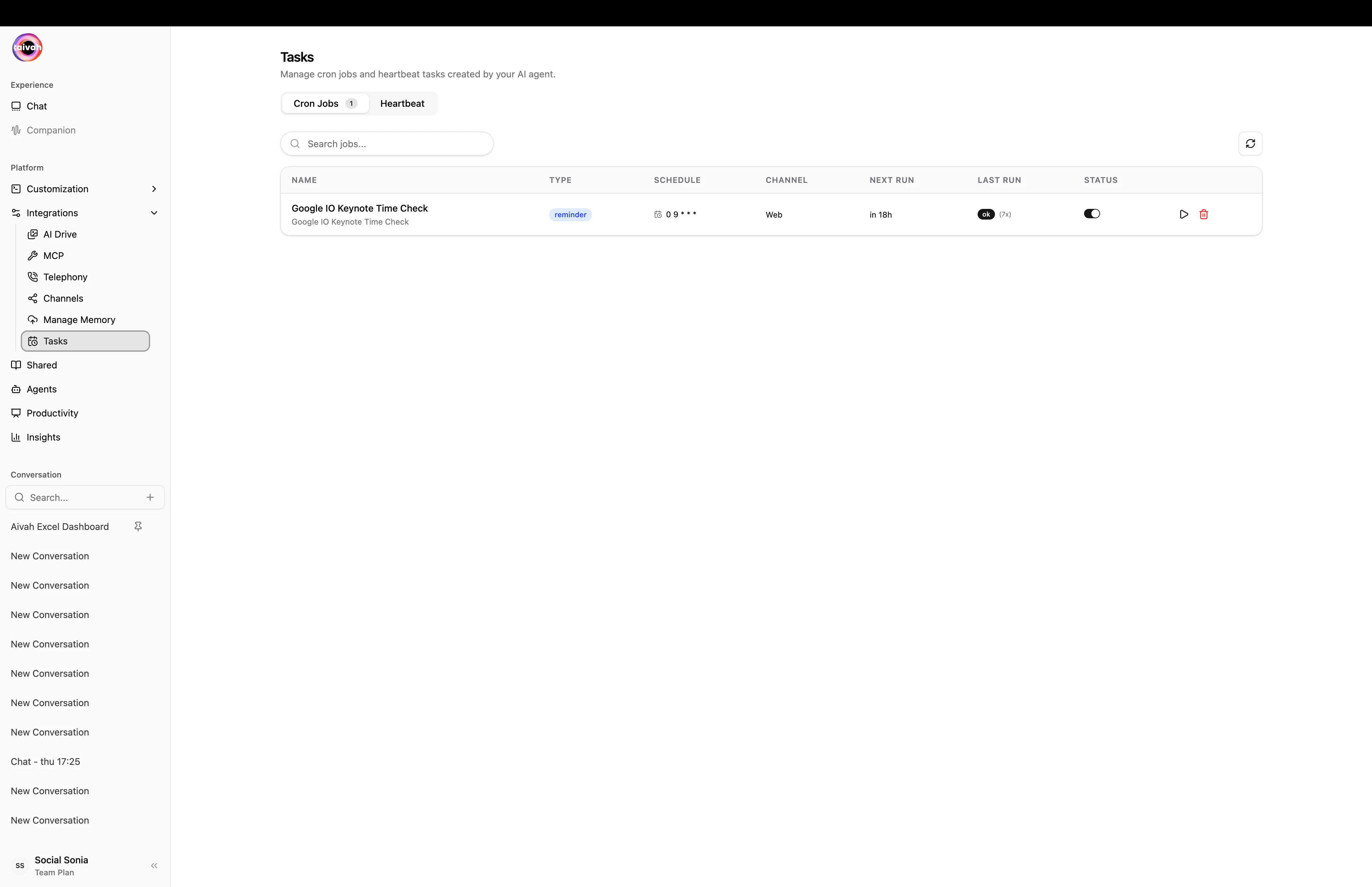
Each row shows:
* The cron expression and the human-readable next-run time
* The action the job will take
* The **channel** the job runs on (Web, Slack, WhatsApp, etc.)
* Inline **Run now** and **Delete** controls
Use Cron Jobs for any recurring action you want the agent to take on a schedule – sending a weekly summary, opening a daily standup thread, refreshing data sources, posting reminders, etc.
 ### Manage cron jobs
* **Run now** – executes the job immediately without changing its schedule. Useful for verifying that the action works.
* **Delete** – removes the job permanently. The agent will no longer trigger it.
* **Refresh** – re-fetches the list so freshly created jobs appear.
## Heartbeat
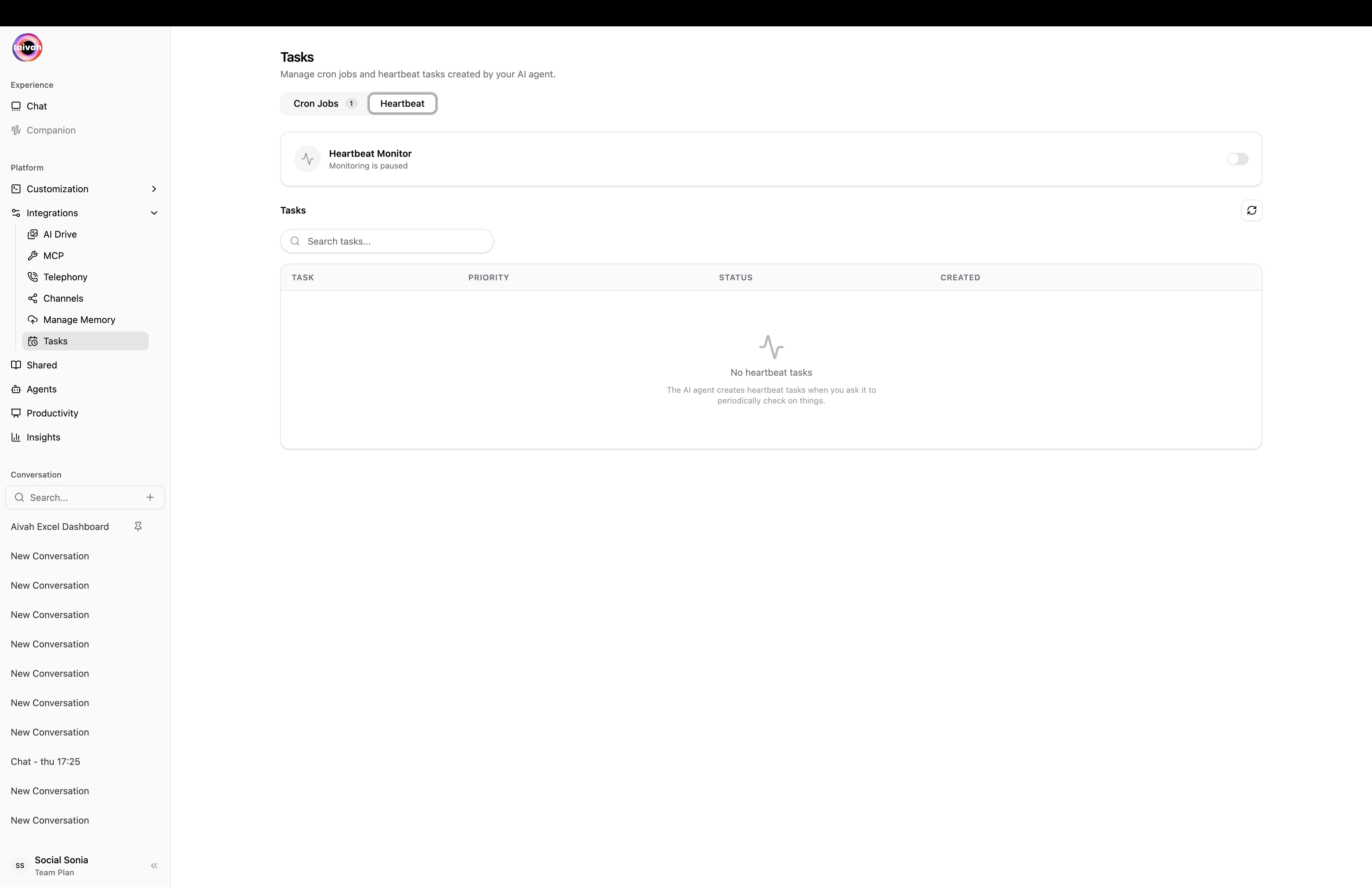
Background tasks that need a regular heartbeat to remain healthy. If the heartbeat stops coming in, the task is flagged so you can intervene.
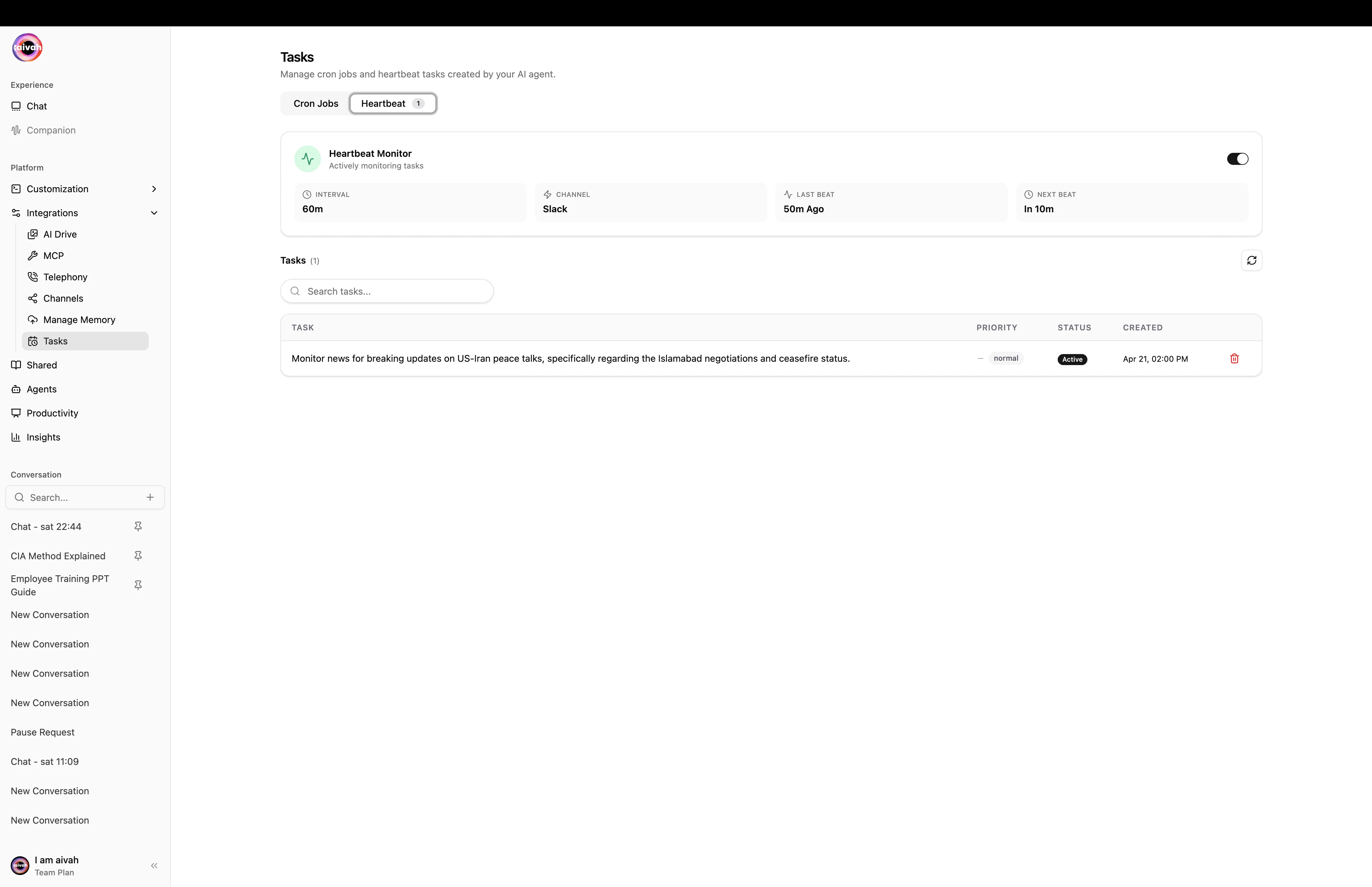
The panel shows:
* A **Heartbeat Monitor** card with the interval, channel, last beat, and next beat
* A list of every heartbeat task with its priority, status, and creation timestamp
Heartbeats are ideal for long-running monitors and watch-style integrations – think uptime checks, queue depth monitors, or external service health pings.
### Manage cron jobs
* **Run now** – executes the job immediately without changing its schedule. Useful for verifying that the action works.
* **Delete** – removes the job permanently. The agent will no longer trigger it.
* **Refresh** – re-fetches the list so freshly created jobs appear.
## Heartbeat
Background tasks that need a regular heartbeat to remain healthy. If the heartbeat stops coming in, the task is flagged so you can intervene.
The panel shows:
* A **Heartbeat Monitor** card with the interval, channel, last beat, and next beat
* A list of every heartbeat task with its priority, status, and creation timestamp
Heartbeats are ideal for long-running monitors and watch-style integrations – think uptime checks, queue depth monitors, or external service health pings.
 ## How tasks are created
Tasks generally appear here in one of three ways:
1. **You ask the agent** – natural language requests like *"remind me to send the weekly report every Friday at 9 AM"* create a cron job automatically.
2. **An MCP tool returns a schedule** – some MCP integrations (Calendar, Linear, etc.) can schedule follow-ups that surface as cron jobs.
3. **You configure a heartbeat-style monitor** – longer-running integrations are wired up via the heartbeat configuration card.
## Workflow
Navigate to **Integrations → Tasks** and pick the tab you want.
Use the badge counters to see how many jobs exist. Check timestamps to spot anything misbehaving.
For cron jobs, hit **Run now** to confirm the action still works after a code or content change.
Use **Delete** on jobs you no longer need, then **Refresh** to confirm they're gone.
## Troubleshooting
* **Job didn't run on time** – use **Run now** to confirm the action itself still works, then double-check the cron expression and the agent's MCP tool access.
* **Heartbeat stopped** – inspect the last heartbeat timestamp, then check the upstream service that's supposed to be sending the heartbeat.
* **List looks stale** – hit **Refresh** at the top of the tab to re-fetch.
## Related guides
* [MCP Tools](/integration/mcp-tools)
* [Workflows](/integration/workflows)
* [Memory](/integration/memory)
## How tasks are created
Tasks generally appear here in one of three ways:
1. **You ask the agent** – natural language requests like *"remind me to send the weekly report every Friday at 9 AM"* create a cron job automatically.
2. **An MCP tool returns a schedule** – some MCP integrations (Calendar, Linear, etc.) can schedule follow-ups that surface as cron jobs.
3. **You configure a heartbeat-style monitor** – longer-running integrations are wired up via the heartbeat configuration card.
## Workflow
Navigate to **Integrations → Tasks** and pick the tab you want.
Use the badge counters to see how many jobs exist. Check timestamps to spot anything misbehaving.
For cron jobs, hit **Run now** to confirm the action still works after a code or content change.
Use **Delete** on jobs you no longer need, then **Refresh** to confirm they're gone.
## Troubleshooting
* **Job didn't run on time** – use **Run now** to confirm the action itself still works, then double-check the cron expression and the agent's MCP tool access.
* **Heartbeat stopped** – inspect the last heartbeat timestamp, then check the upstream service that's supposed to be sending the heartbeat.
* **List looks stale** – hit **Refresh** at the top of the tab to re-fetch.
## Related guides
* [MCP Tools](/integration/mcp-tools)
* [Workflows](/integration/workflows)
* [Memory](/integration/memory)